Case Study
Expense Flow Tracker
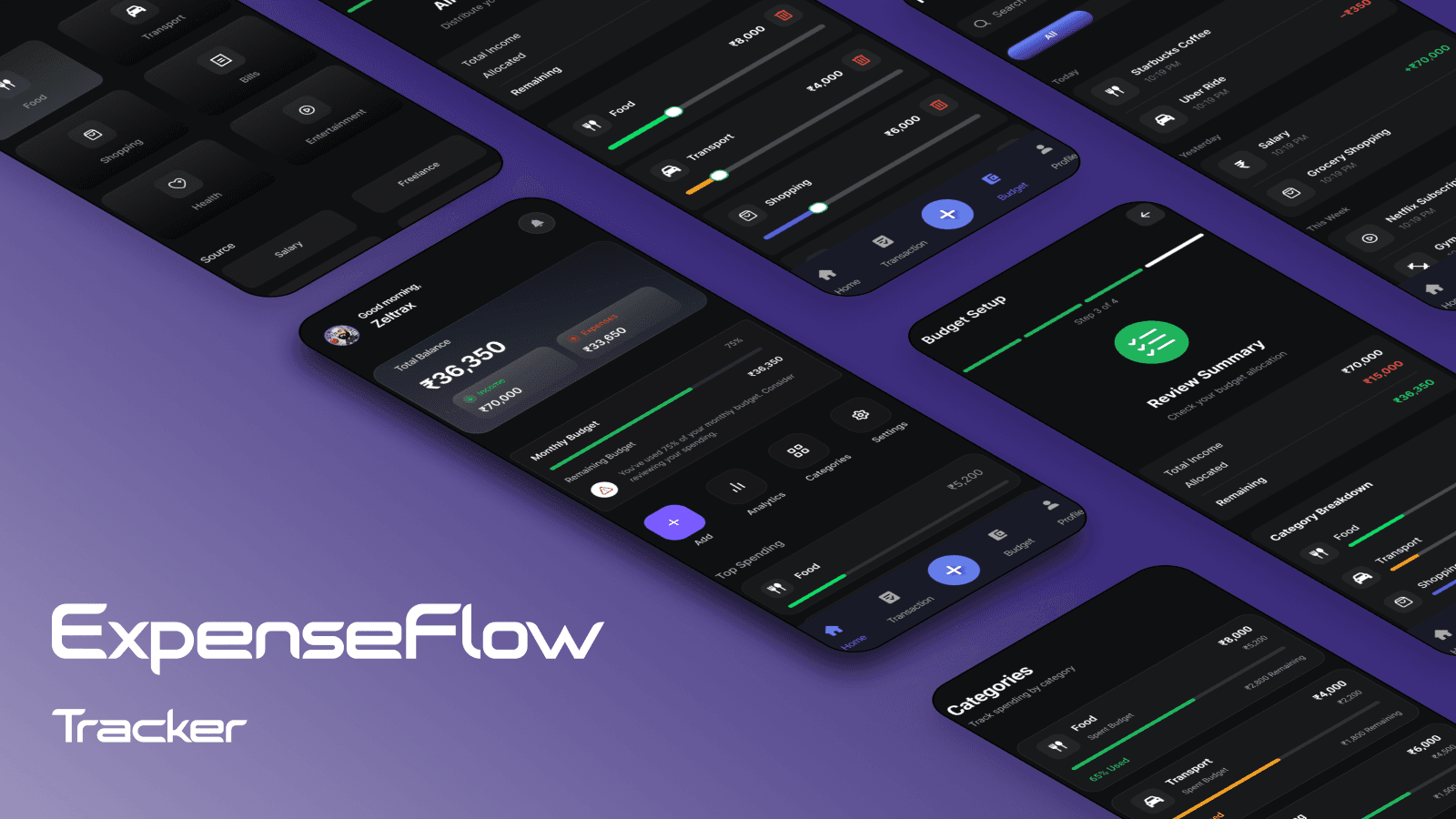
Designing a simple and fast expense tracking mobile app that helps users log transactions in seconds and maintain clear financial visibility.
Platform
Mobile App (iOS & Android Concept)
Role
Product Designer
Timeline
Feb 7–22, 2026
Project Type
Mobile App Concept
Tools Used
Figma, Notion, Miro, FigJam
Team
Solo
Chapter One
Introduction
Overview
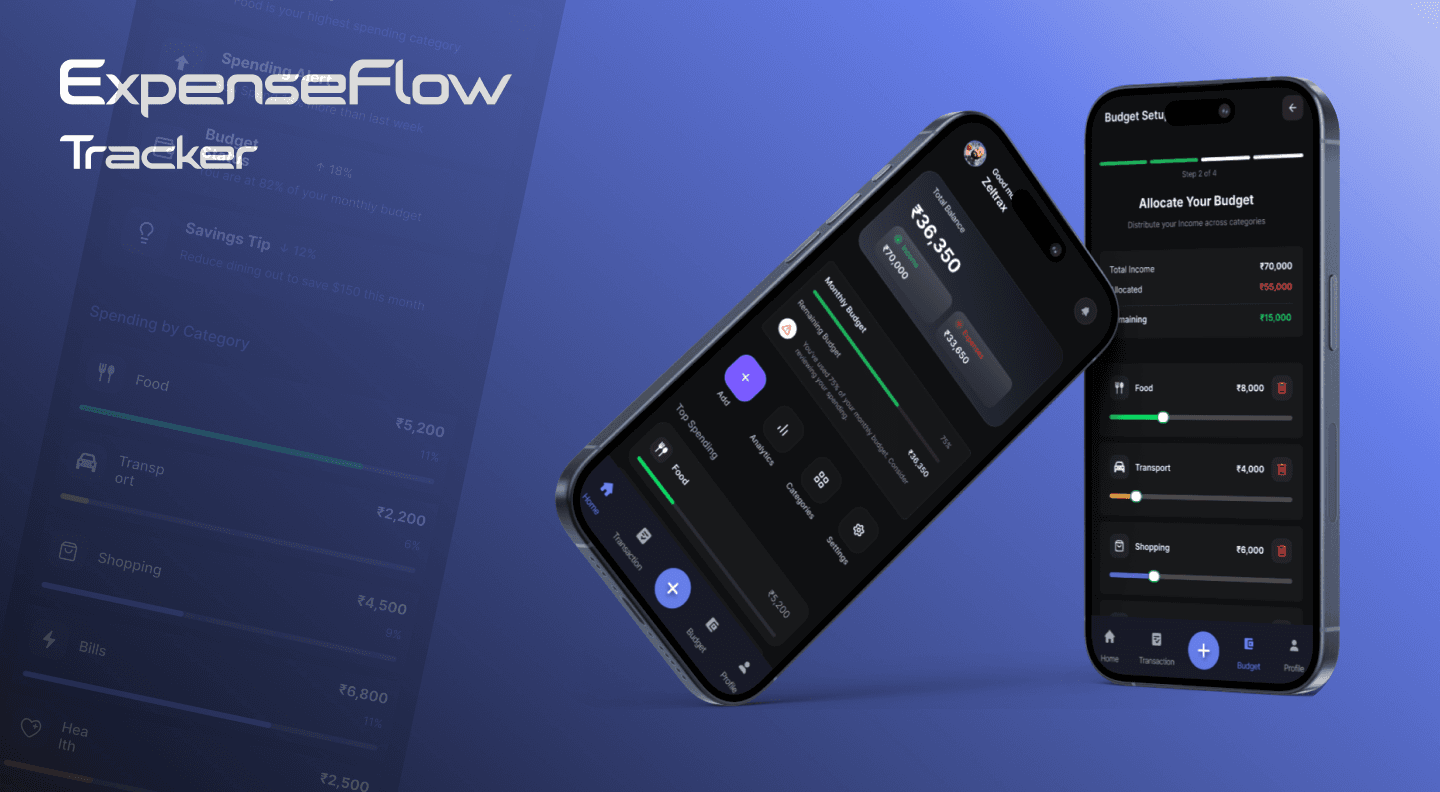
Expense Flow Tracker is a mobile app concept designed to help users quickly record daily expenses and clearly understand their remaining balance. Many existing expense tracking apps are complex and time-consuming to use, causing users to abandon them after a few days. This project explores how simplifying the interface and reducing friction can improve consistent expense tracking behavior.
Problem
Most expense-tracking apps require multiple steps to log simple transactions, overwhelming users with complex features. Users abandon apps after a few days due to friction and cognitive load.
Goal
Design an expense tracker that allows users to log expenses in seconds and clearly visualize their remaining balance. Prioritize speed, simplicity, and financial clarity over features.
Outcome
A streamlined mobile app where expenses can be logged in 2 steps under 10 seconds, with clear balance visibility and intuitive navigation for better spending awareness.
Chapter Two
Problem & Solution
User Problems
- Forgetting daily expenses reduces tracking consistency
- Losing track of money leads to overspending
- Complex apps feel overwhelming and time-consuming
- Existing solutions prioritize features over simplicity
Design Strategy
- Fast expense entry: Reduce to minimum required steps
- Clear balance visibility: One-glance financial status
- Simplified dashboard: Remove unnecessary information
- Intuitive navigation: Bottom tabs for high-frequency actions
Competitive Analysis
| Feature | Walnut | Spendee | Expense Flow |
|---|---|---|---|
| Quick Add Steps | 3 | 4 | 2 |
| Budget Visibility | Moderate | Low | High |
| Dashboard Clarity | Medium | Complex | High |
| Visual Overload | High | Medium | Low |
Chapter Three
User Research & Key Insights
Primary User Profile
Meet Riya, Age 24: Marketing professional earning ₹35,000/month. She often runs out of money before month-end because she doesn't track small daily expenses. She tried several expense apps but stopped using them because they felt complicated and time-consuming.
Target Users: Students managing allowances, young professionals managing salary, freelancers with irregular income.
Key Research Findings
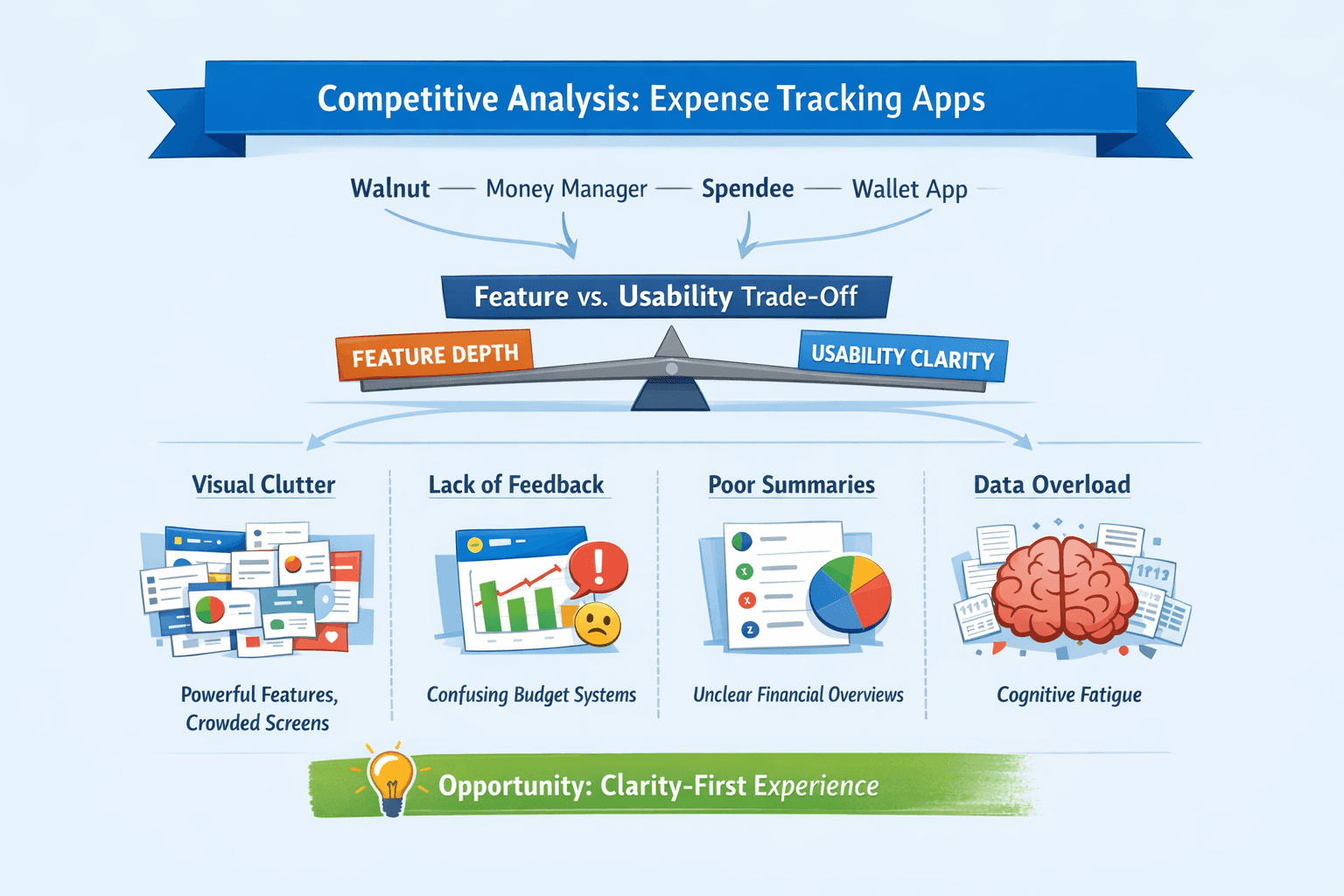
Feature Overload: Most expense apps prioritize features over simplicity, making dashboards cluttered and overwhelming.
Multiple Steps: Expense logging typically requires 3-4 steps, causing users to defer recording transactions and eventually abandon the app.
Poor Visibility: Remaining balance is often buried in secondary views, reducing awareness of spending status.
Chapter Four
User Flow & Navigation
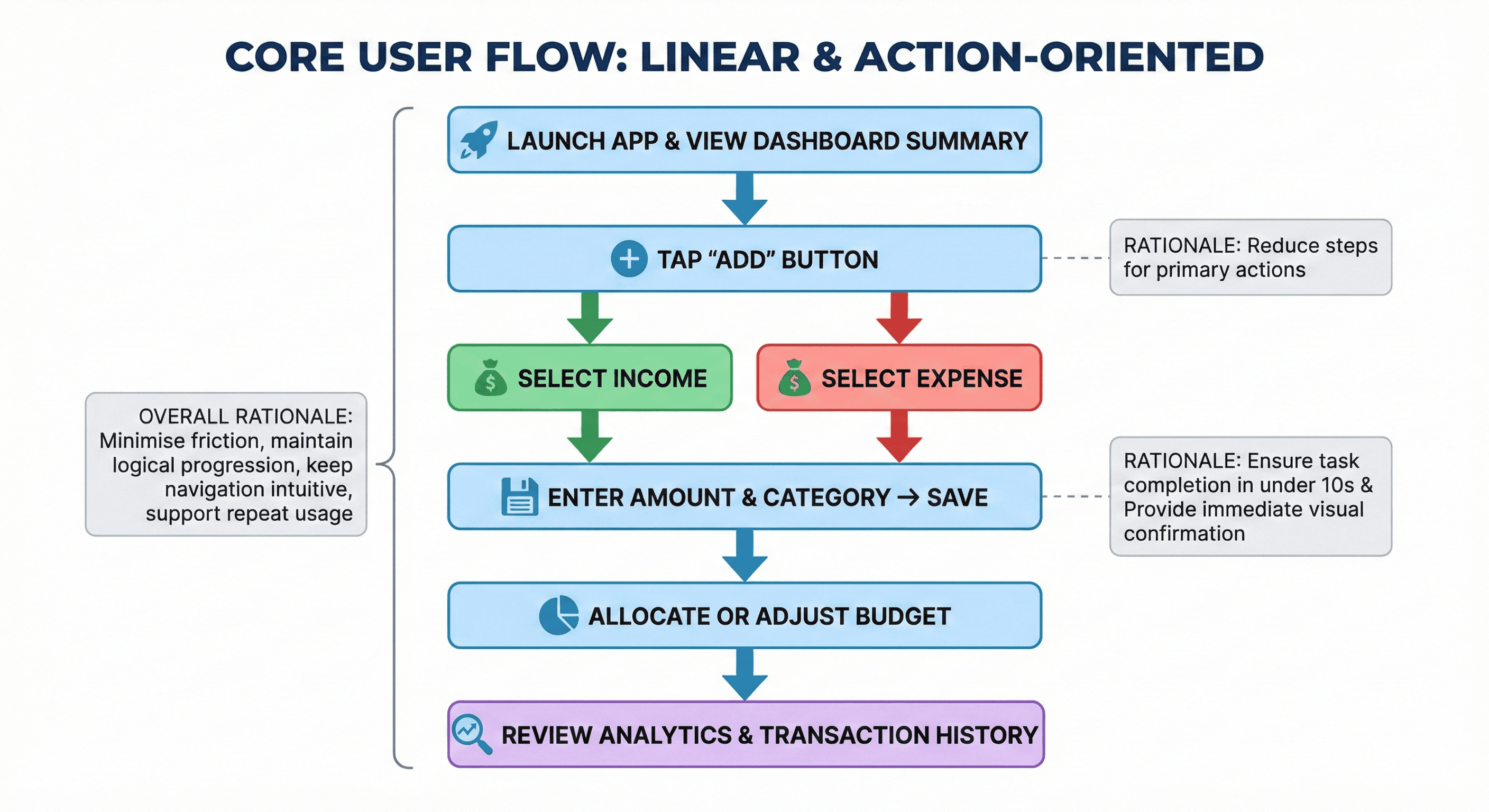
Core User Flow
Navigation Structure
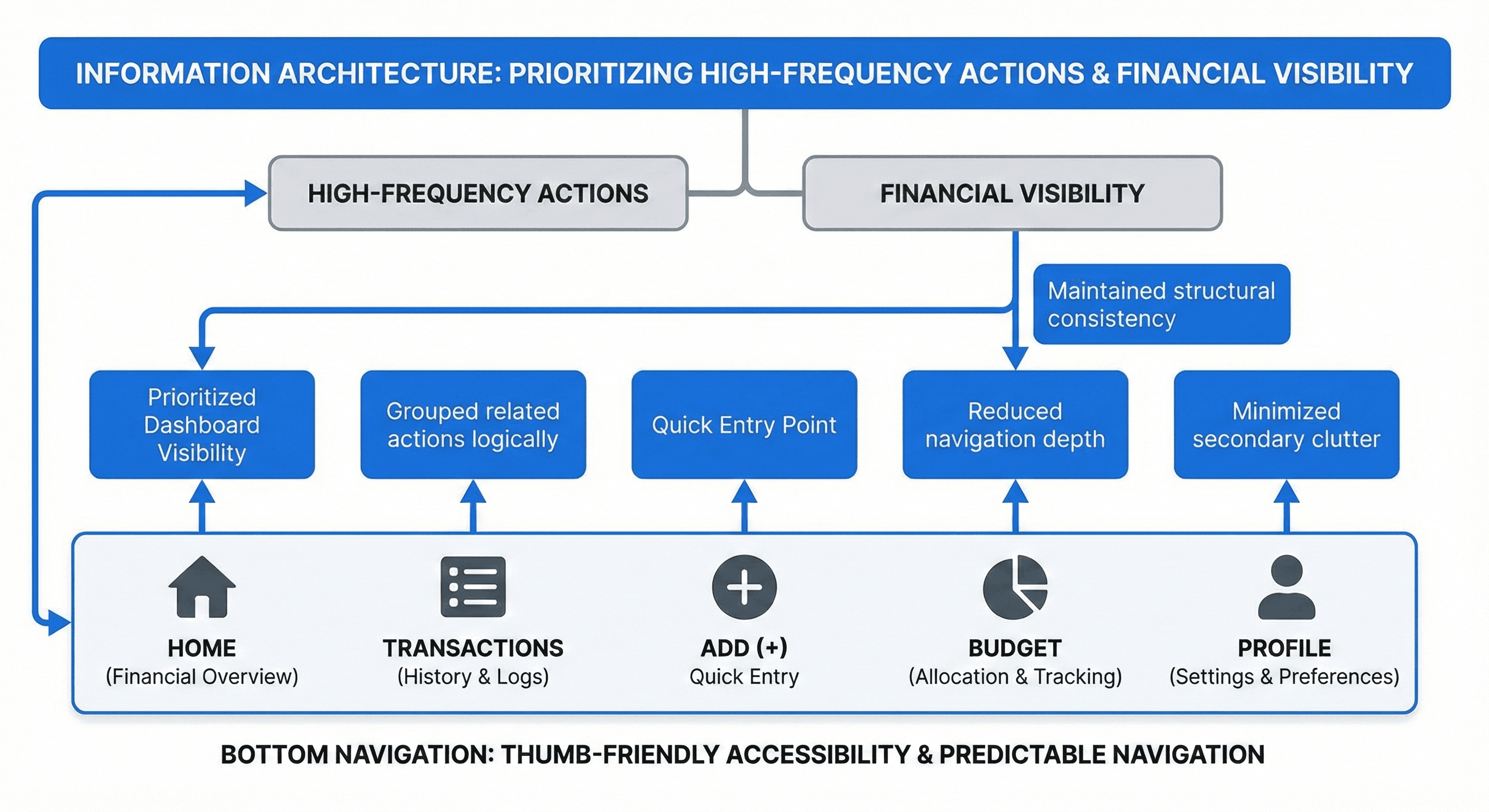
Bottom Tab Navigation
Home - Financial Overview
Transactions - History
Add - Quick expense entry
Budget - Allocation view
Profile - Settings
Chapter Five
Navigation & Information Architecture
Design Rationale
Bottom Navigation: Selected because the app includes 4-5 high-frequency primary actions. This pattern improves thumb accessibility and aligns with mobile fintech standards.
Minimal Structure: The IA prioritizes high-frequency actions while secondary features remain accessible but not prominent.
Chapter Six
Wireframes & Prototyping
Wireframing
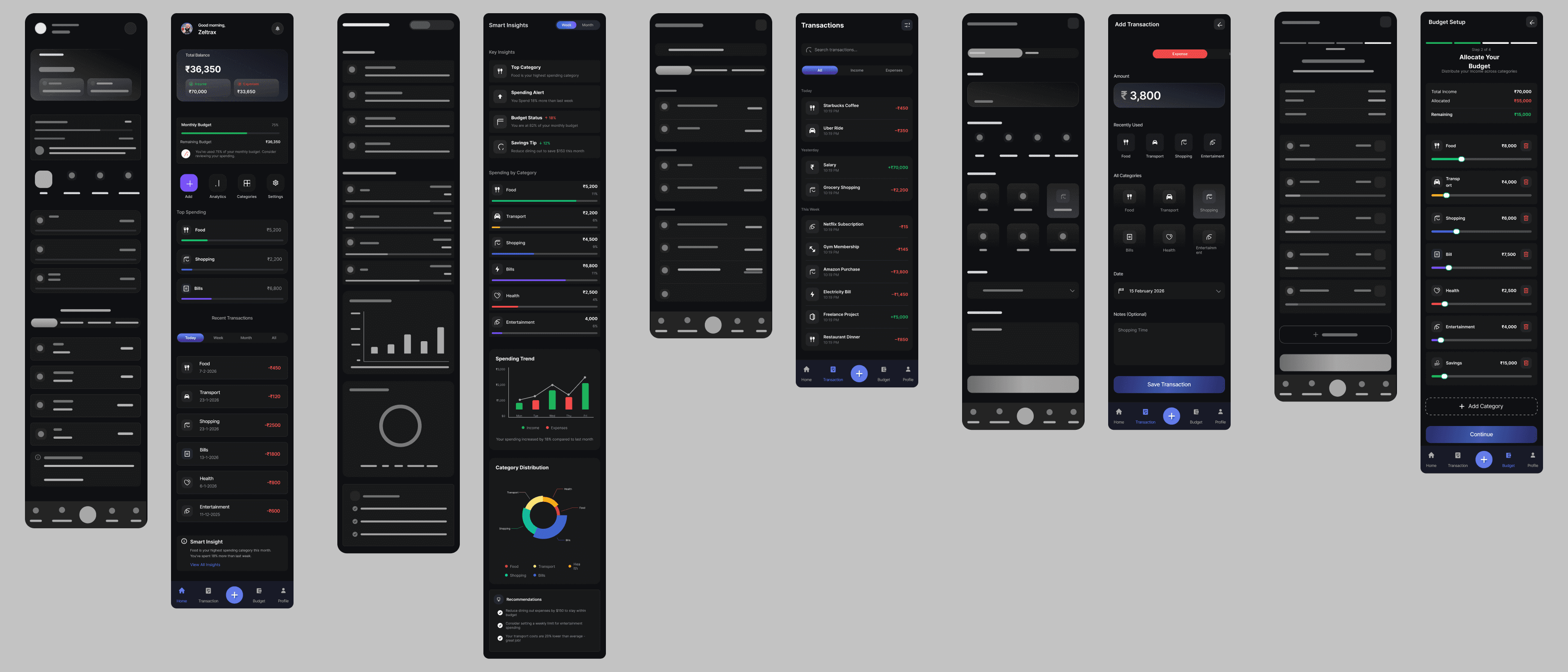
Mid-fidelity wireframes were created to validate layout hierarchy and interaction flow before visual design execution.
Focus Areas:
- Reduce visual clutter
- Simplify expense entry flow
- Improve readability and hierarchy
- Dashboard layout validation
Prototyping
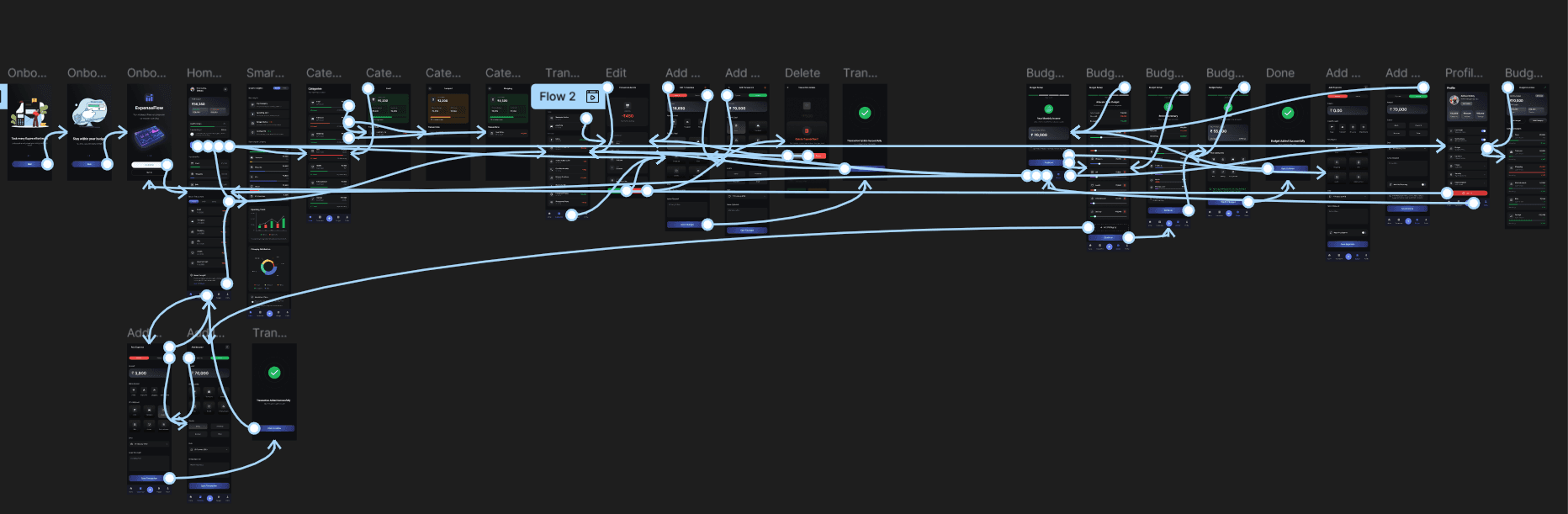
A clickable high-fidelity prototype was created in Figma to test the core expense logging flow and navigation clarity.
Flows Tested:
- Add expense flow
- Instant balance update
- Budget allocation
- Transaction history navigation
Chapter Seven
Design System & Consistency
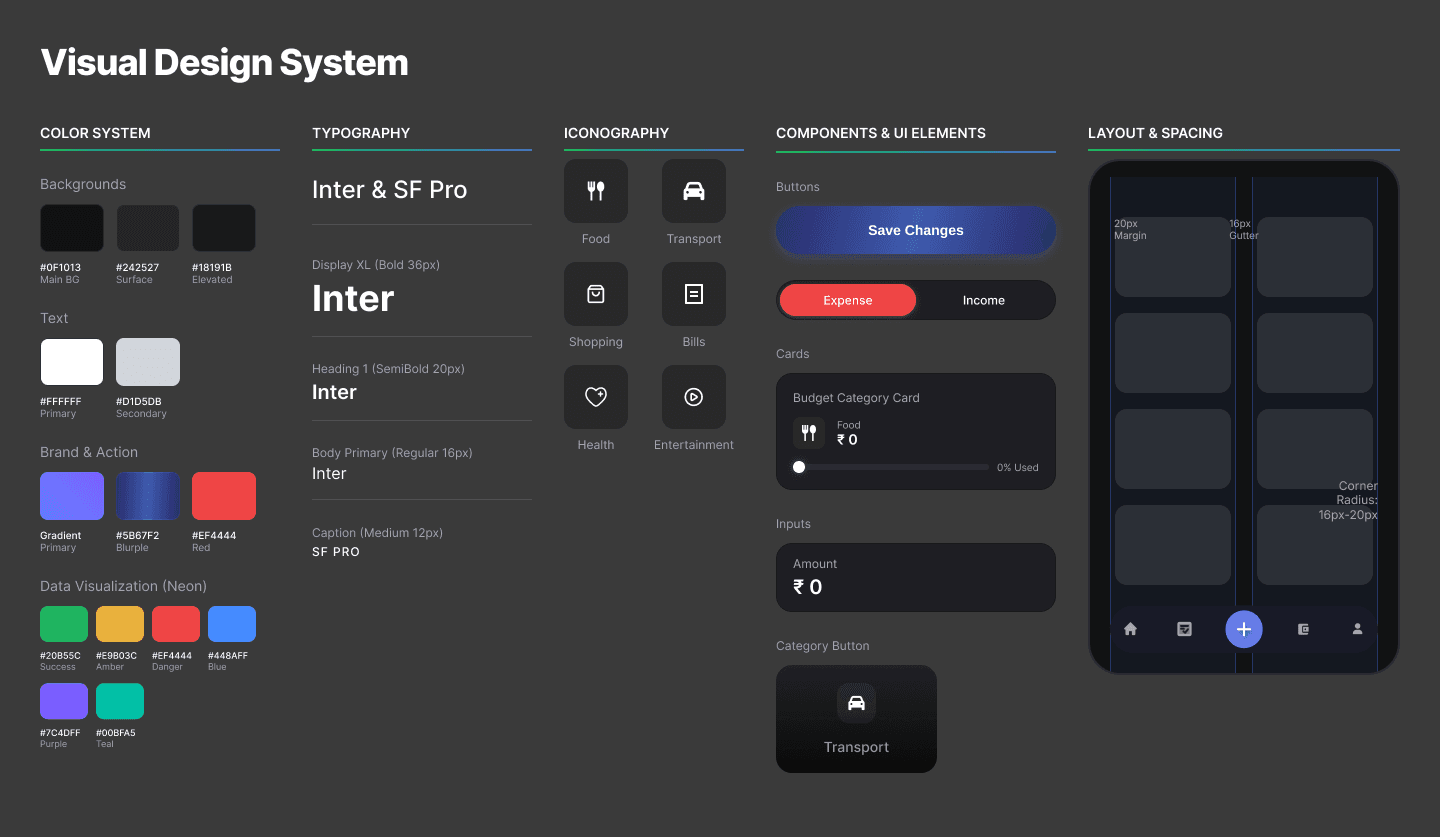
Design Principles
Dark Theme: Improves visual contrast and reduces eye strain during extended mobile use.
Card-Based Layout: Organizes financial information into scannable, digestible sections.
Clear Typography: Hierarchy helps users quickly find important information on every screen.
Simple Icons: Minimal icon system for intuitive action recognition.
Chapter Eight
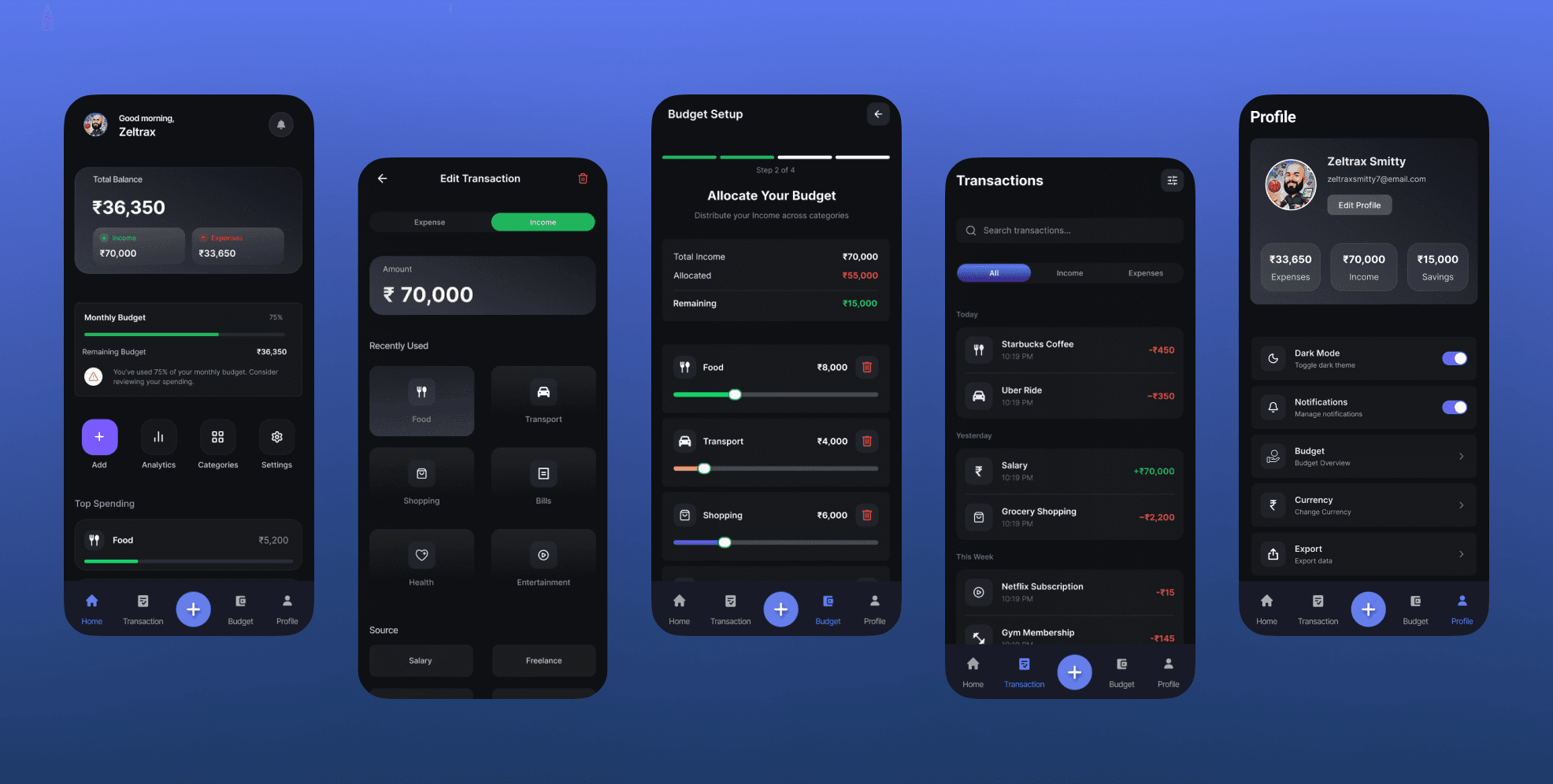
Final UI & Key Screens
Key Improvements
- One-glance balance visibility for immediate financial status
- Fastest expense entry: Reduced to 2 steps under 10 seconds
- Clean financial overview with minimal information clutter
- Intuitive bottom navigation for easy thumb access
- Real-time balance updates for instant feedback
Chapter Nine
Testing Results & Conclusion
Usability Testing Summary
The prototype was tested with 5 participants to evaluate usability and task completion speed for adding expenses, allocating budget, viewing history, and checking balance.
Most users completed the expense logging task within 12 seconds with 100% success rate and positive feedback on balance visibility.
Key Observations
- Added expense quickly without guidance
- Appreciated real-time balance update
- 3 participants initially missed Budget tab
- Analytics filters caused minor confusion
Improvements Made
- Reduced steps in expense entry
- Improved category visibility
- Simplified dashboard layout
- Adjusted tab hierarchy
Measured Outcomes
| Metric | Competitor Avg | Expense Flow |
|---|---|---|
| Steps to Add Expense | 3–4 steps | 2 steps |
| Time to Complete | 20–30 sec | <10 sec |
| User Success Rate | 60–70% | 100% |
| Dashboard Clarity | Medium | Excellent |
Key Learnings
- Reducing friction dramatically improves app adoption
- Financial clarity drives consistent usage
- Simplicity beats feature-richness for mobile apps
Future Enhancements
- Bank account integration for auto-sync
- Smart expense categorization using AI
- Monthly spending insights and reports
Project Impact
This project successfully demonstrates how prioritizing simplicity and speed significantly improves mobile financial app usability. By reducing expense logging to 2 steps, the design achieved 100% task completion rate and positive user feedback on balance visibility.
The Expense Flow Tracker proves that financial tools don't need complex features to be effective—clarity and speed are far more valuable for driving consistent usage and better financial decision-making.
Interested in working together?
Let's start a project