Case Study
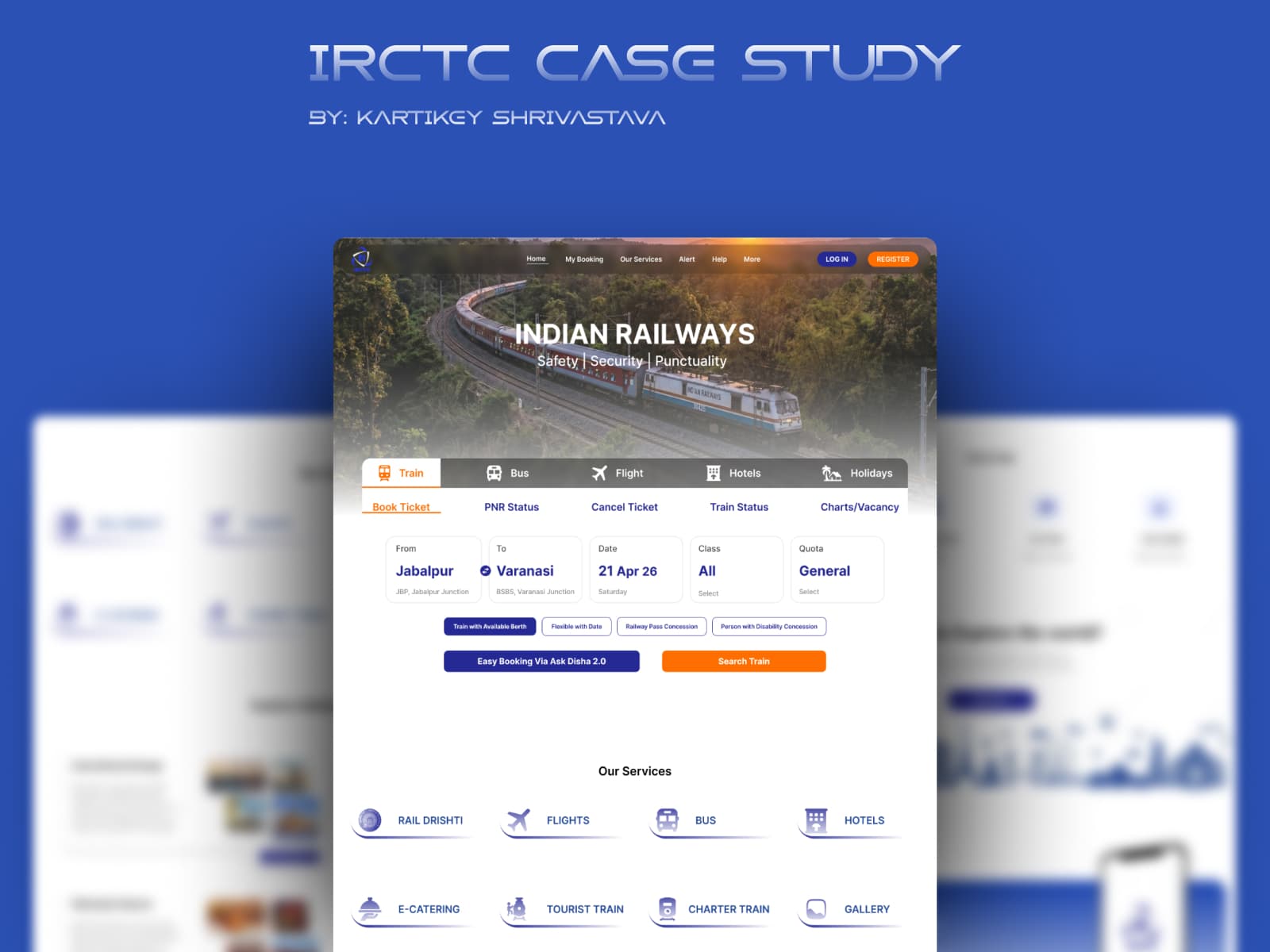
IRCTC Booking Experience Redesign
Simplifying High-Traffic Railway Reservations through improved information architecture and user flow optimization.
My Role
UI/UX Designer (End-to-End)
Team
Solo
Timeline
3 Weeks
Project Type
Concept Redesign
Tools Used
Figma, Notion, Miro, FigJam
Scope
Improving homepage structure and booking flow usability
Chapter One
Introduction
Overview
IRCTC is India's primary railway booking platform. Most users visit to quickly book train tickets, often under time pressure such as Tatkal hours (high-demand booking windows). The platform serves millions of users daily, but the current interface prioritizes feature availability over task efficiency.
Problem
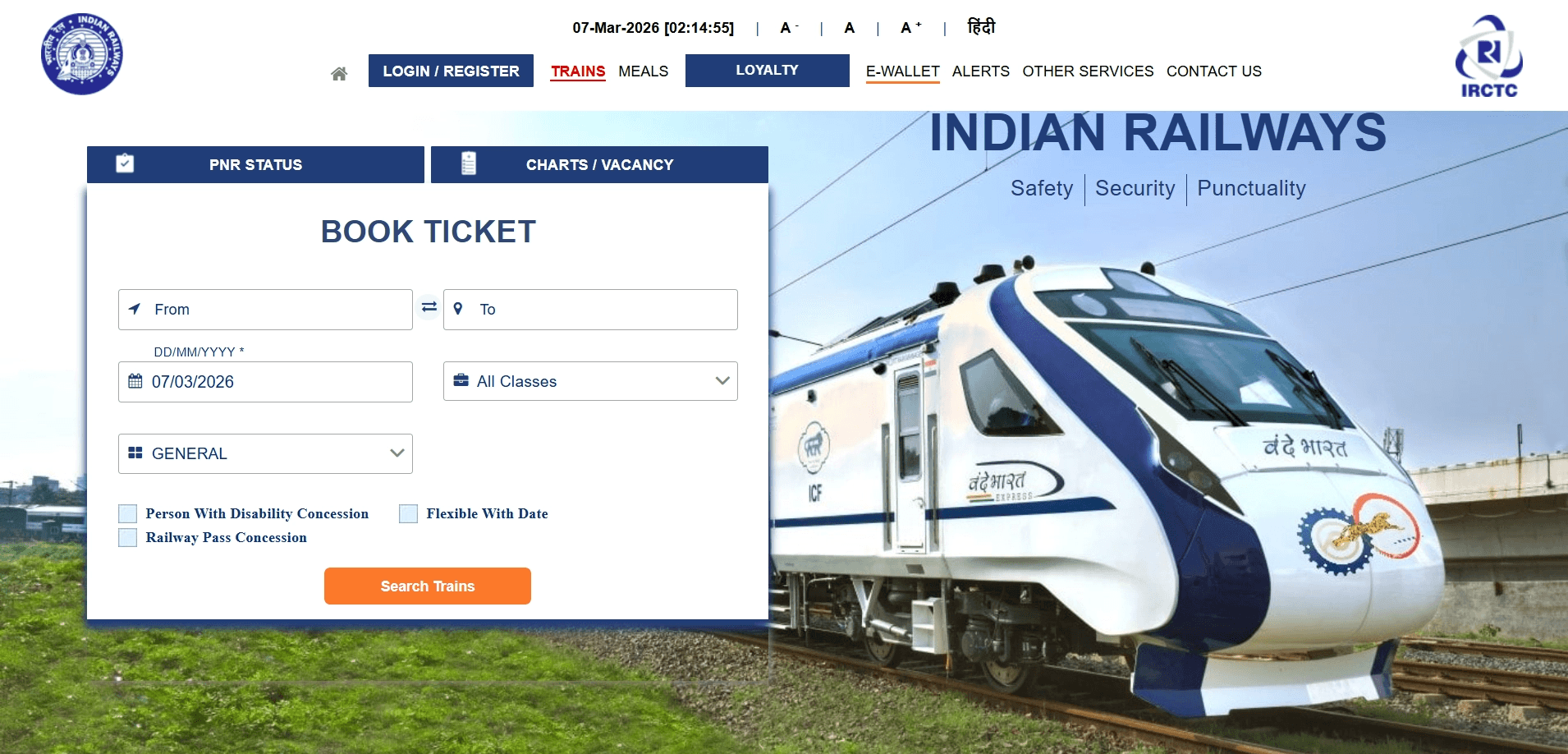
Users struggle to quickly find the ticket booking section due to crowded navigation and multiple services competing for attention. The booking CTA is not visually dominant, and the dense homepage navigation creates cognitive load.
Goal
Improve visibility of the booking flow and organize services for easier navigation. Create a task-first experience that prioritizes the primary user goal: booking train tickets.
Outcome
A simplified homepage structure that prioritizes booking and groups secondary services clearly. Expected to reduce time to locate booking from 8-10 seconds to 2-3 seconds.
Chapter Two
User Research & Pain Points
Research Methodology
Homepage Audit
Core Pain Points
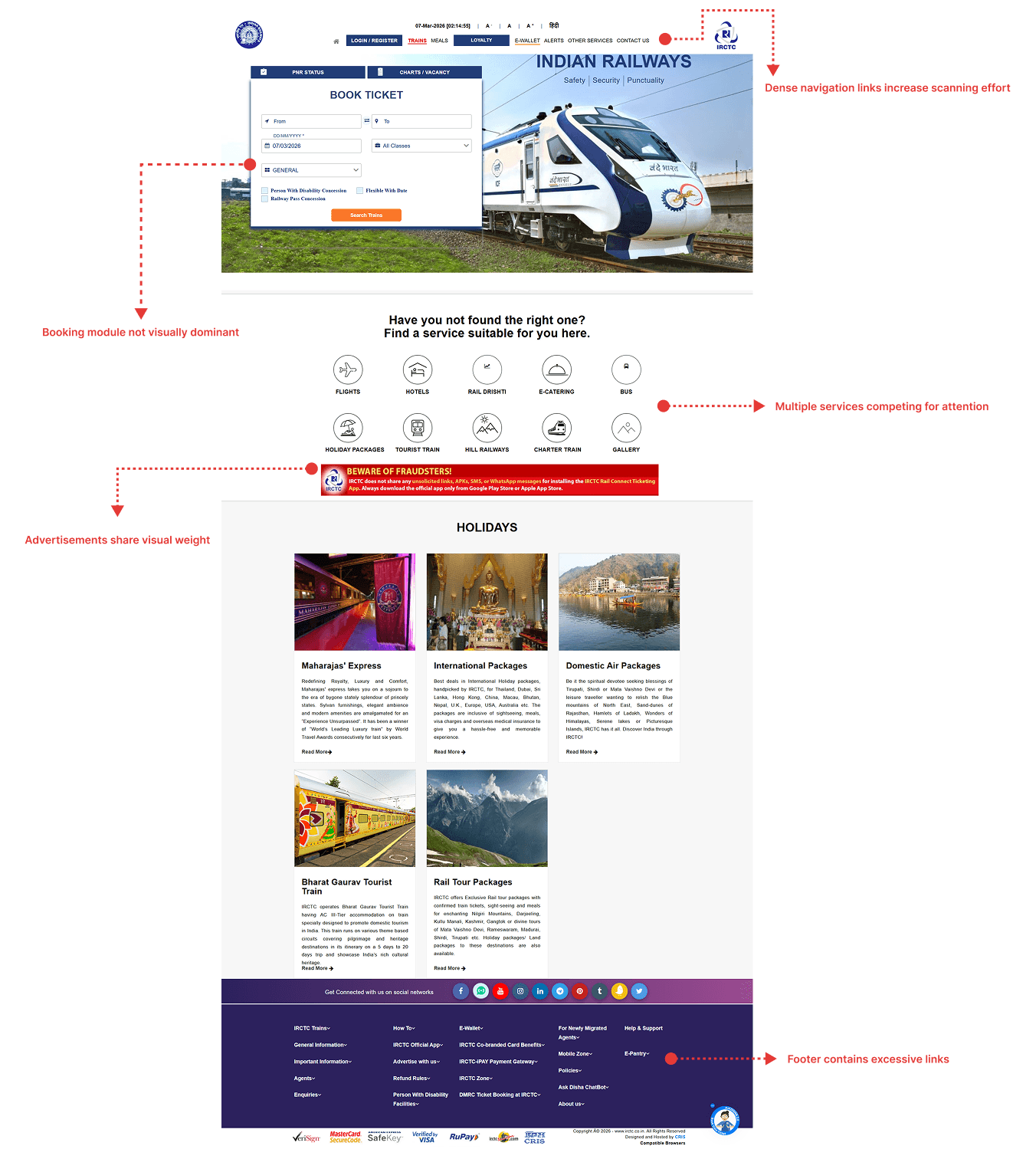
Booking module hidden
Too many navigation links
Ads competing with booking
Booking CTA not visually dominant
Dense homepage navigation
No clear booking progress visibility
High anxiety during Tatkal booking
Help options not contextual
Research Insights
Key Finding: The platform prioritizes feature availability over task efficiency. Users reported that the homepage is crowded, and it's hard to immediately find the booking option.
Time Pressure Insight: During Tatkal booking, every second matters, but the booking section is not visually prominent. This creates unnecessary friction during high-pressure booking scenarios.
Navigation Challenge: Too many services on the homepage make the main task harder to find, increasing cognitive load and reducing conversion rates.
Booking Flow Analysis
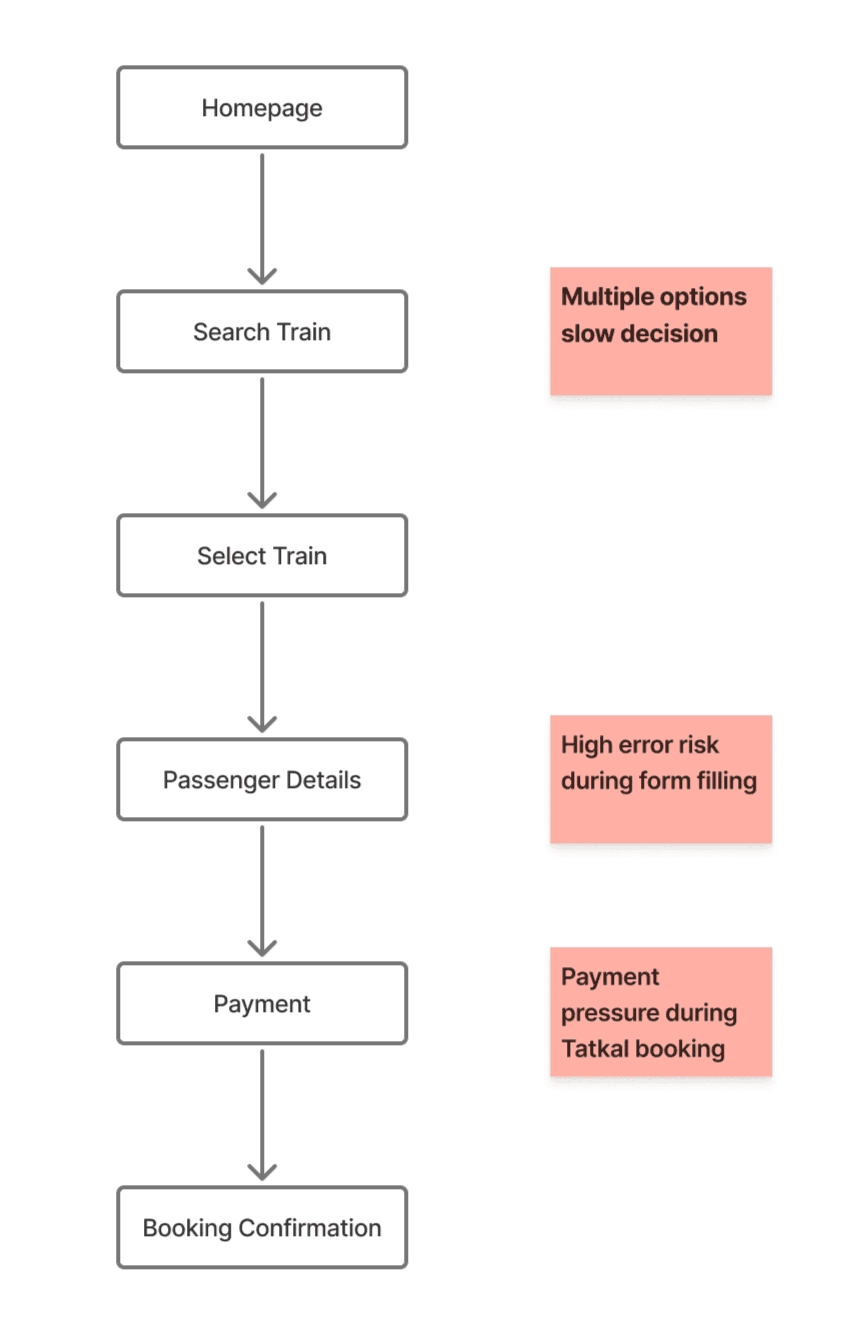
Deep dive into the current user journey on IRCTC. This analysis identifies the critical touchpoints, pain points, and opportunities for optimization in the booking process.
Friction Points
- No clear progress indicator
- High error risk in passenger details
- Multiple decisions slow the process
- Lack of contextual help
Chapter Three
Core Problem & Solution
Core Problem
Users visiting the IRCTC homepage primarily want to book train tickets quickly. However, the current layout places booking among many competing services and advertisements.
Key Issues:
- Booking is not visually dominant
- Multiple services compete for attention
- Navigation increases scanning effort
Design Solution
A task-first booking experience was created. The redesign focuses on making ticket booking the primary homepage action while simplifying navigation through grouped services.
Design Focus:
- Make booking the dominant homepage action
- Group secondary services
- Create a linear booking flow
- Improve visual hierarchy
Chapter Four
Before & After Impact
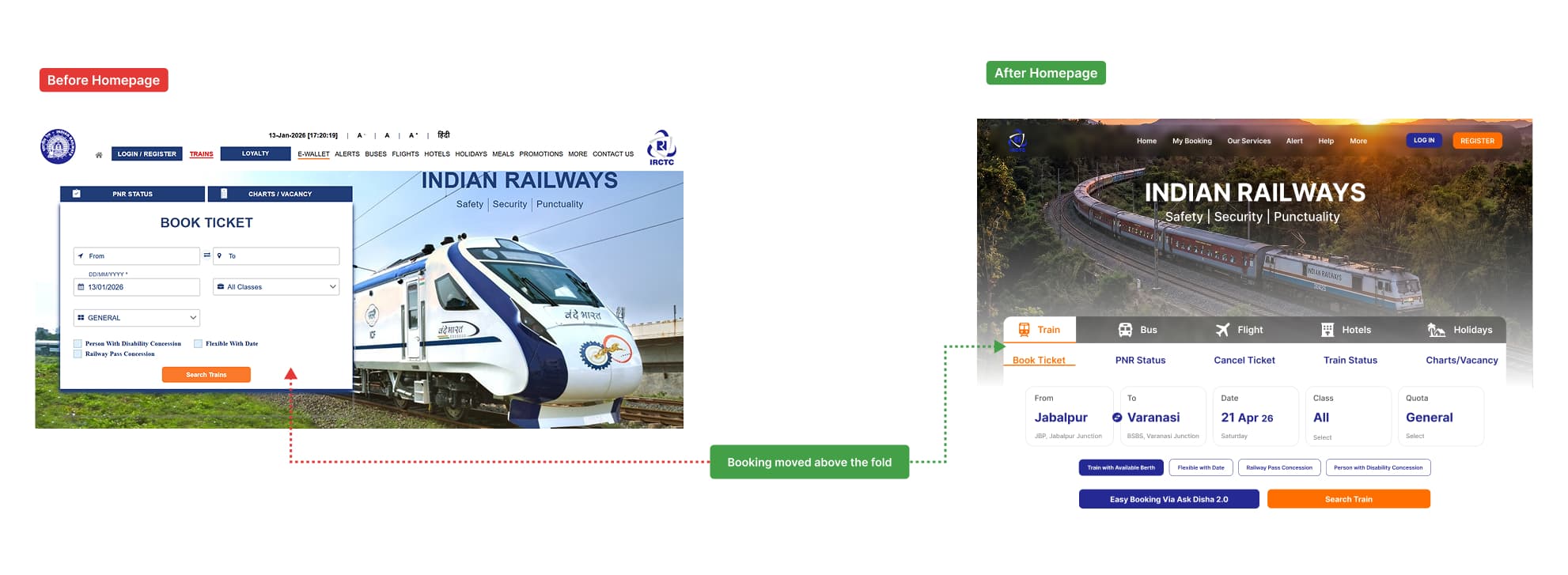
Redesigned Homepage
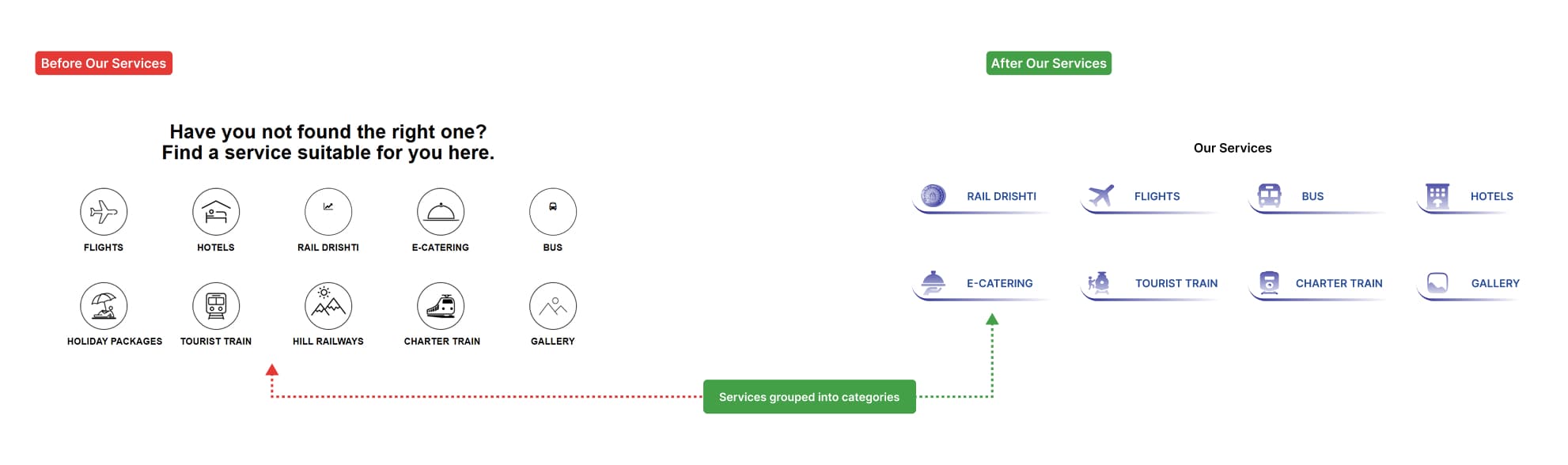
Service Grouping
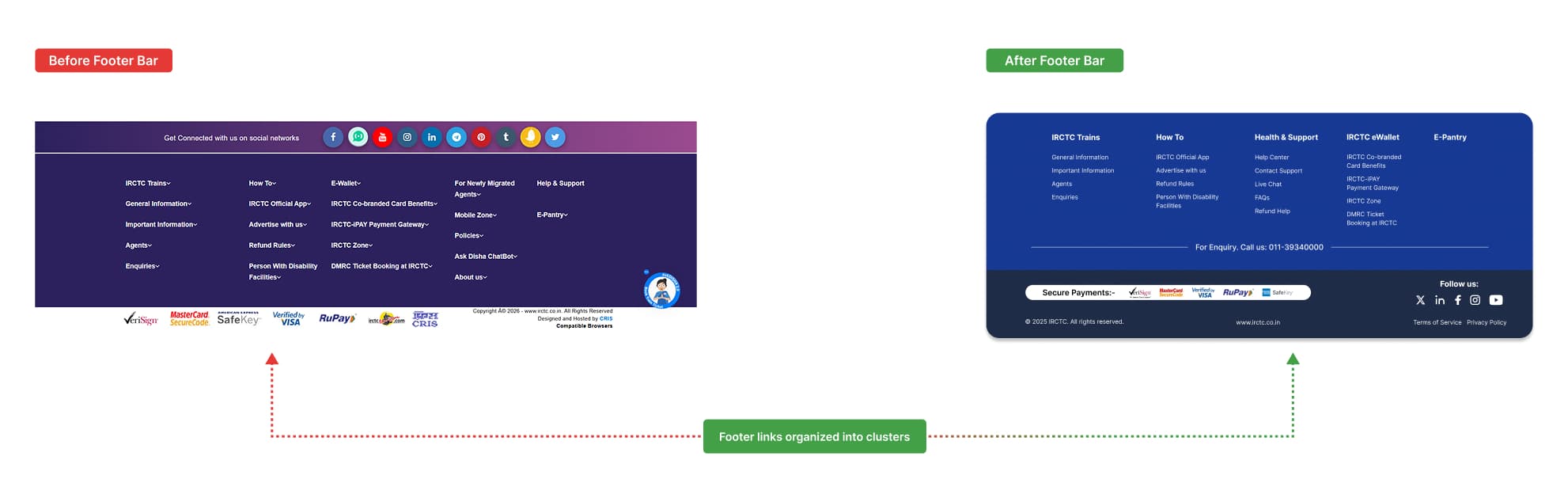
Footer Simplification
Key Improvements
Booking Module Prioritized
Booking module visually prioritized above the fold
Simplified Navigation
Navigation simplified through grouped services
Improved Hierarchy
Clearer hierarchy for primary actions
Chapter Five
Information Architecture & User Flow
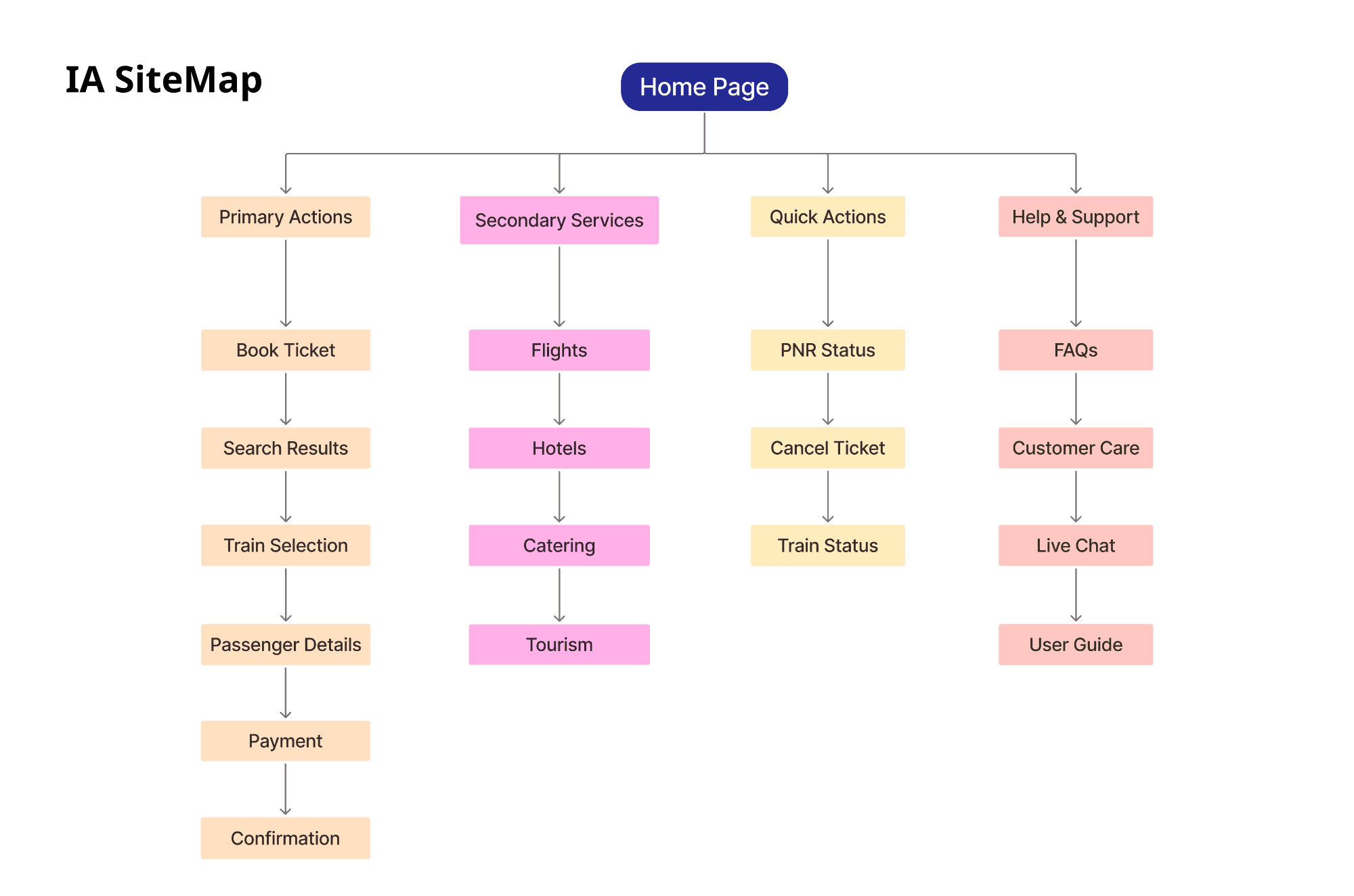
How IA Was Created
- ✓Audited the existing IRCTC navigation
- ✓Identified core user tasks like ticket booking and status checking
- ✓Grouped secondary services to reduce navigation clutter
- ✓Created clear task hierarchy based on user frequency and importance
IA Structure
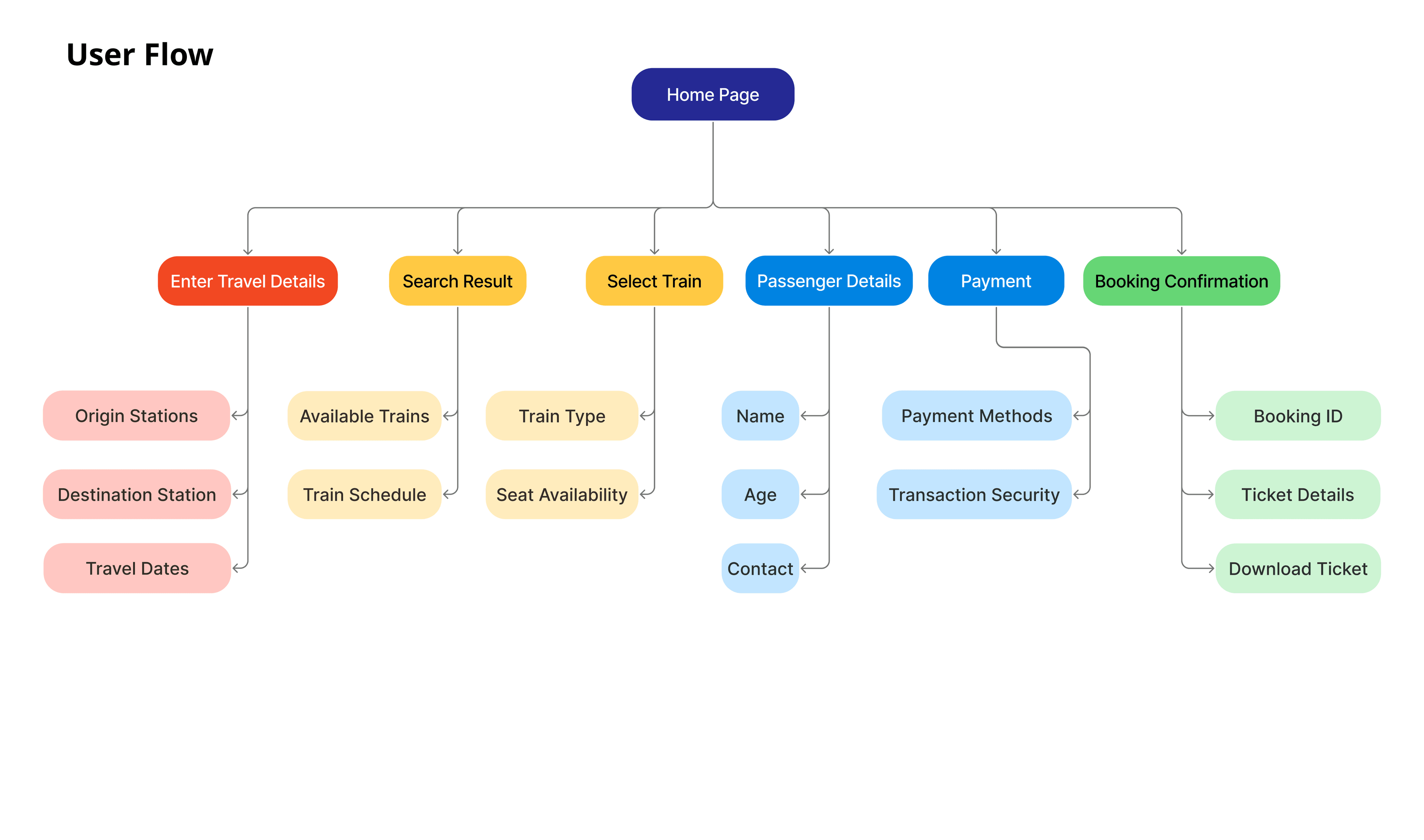
How User Flow Was Created
- ✓Analyzed the existing IRCTC booking process
- ✓Identified key actions required to complete booking
- ✓Simplified the sequence to remove unnecessary complexity
- ✓Validated task completion clarity and user flow linearity
User Flow Diagram
Chapter Six
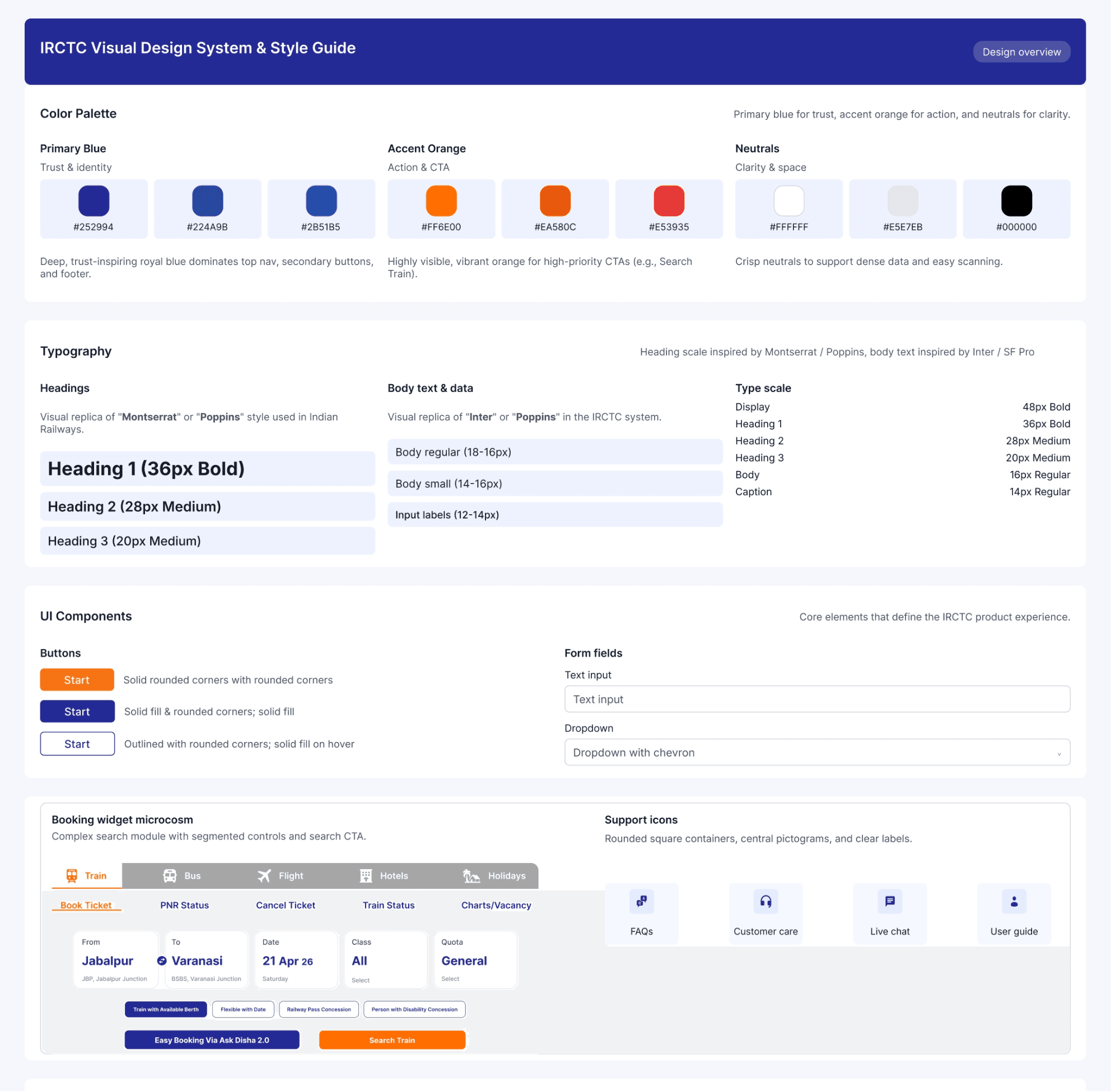
Design System & Consistency
A lightweight design system ensures visual consistency and scalability across booking flows.
Included Components:
This ensures visual consistency, scalability, and smoother future updates.
Chapter Seven
Wireframes & Prototyping
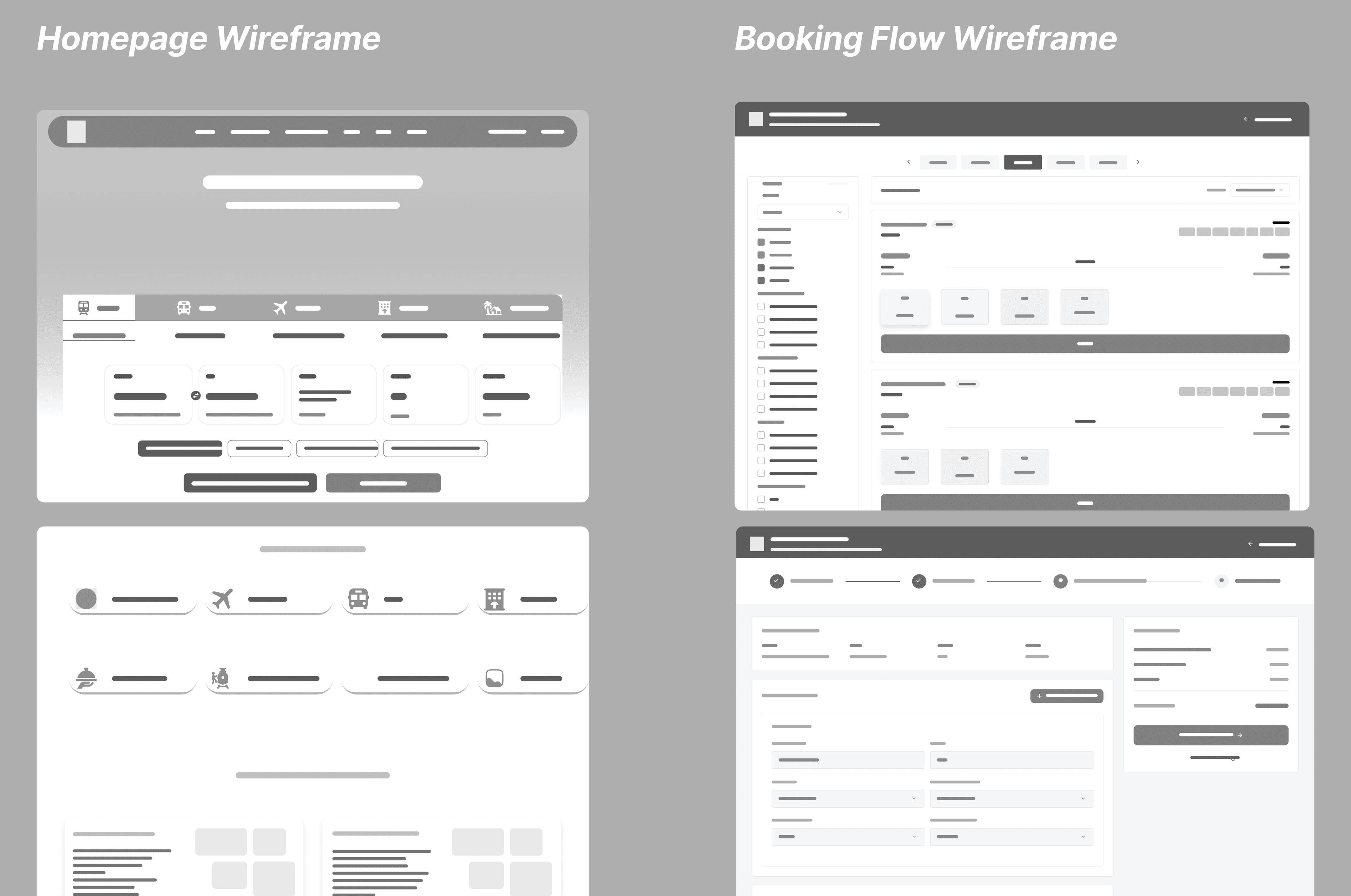
Wireframing
Mid-fidelity wireframes were created to validate layout clarity and task prioritization before visual design.
Focus Areas:
- Clear separation of primary vs secondary actions
- Large booking search module
- Reduced link clutter
- Linear booking flow
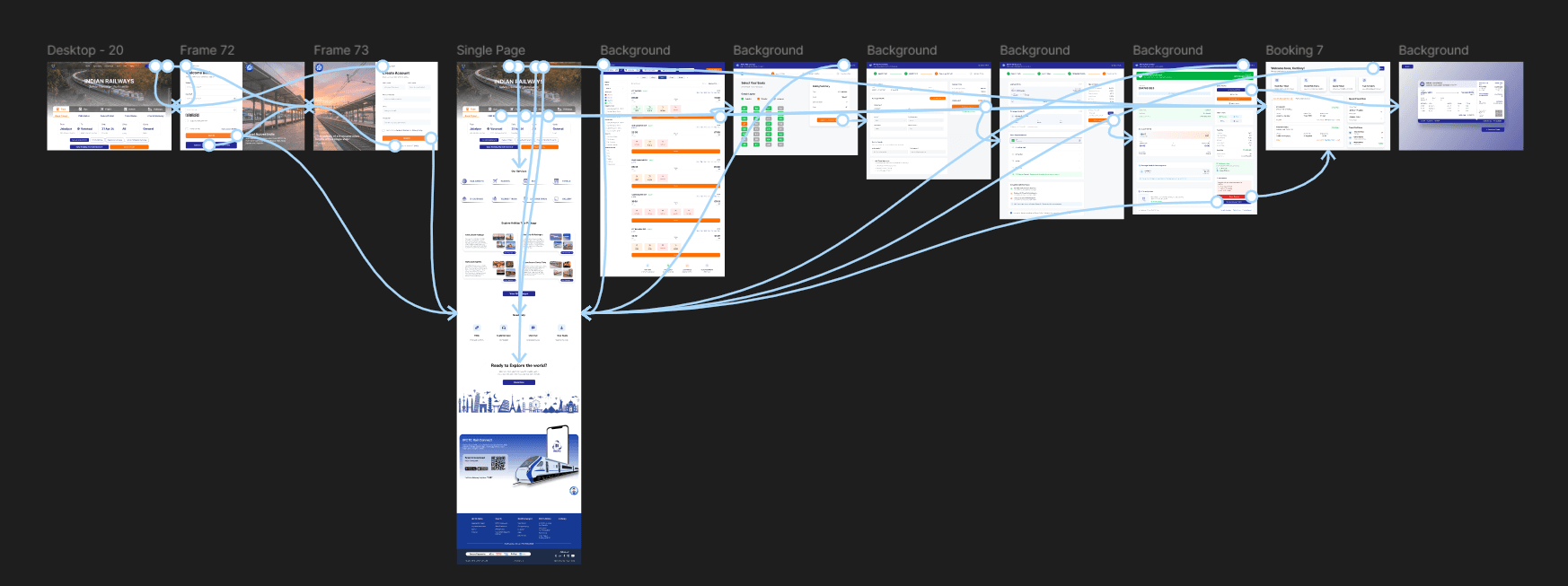
Prototyping
A clickable Figma prototype demonstrates the primary user journey—from homepage entry to ticket search results—designed for desktop-first usage with responsive scalability.
Validation Focus:
- Prioritized booking section
- Tested linear booking flow
- Validated task completion clarity
- Reduced unnecessary steps
Chapter Eight
Final UI & Interaction
High-Fidelity Screens
- Homepage integrates booking and service navigation
- Holiday packages and tourism discovery sections included
- Help, FAQs, and support modules structured clearly
- Booking module visually dominant above the fold
- Tab-based switching for related tasks
- Visible booking progress indicator
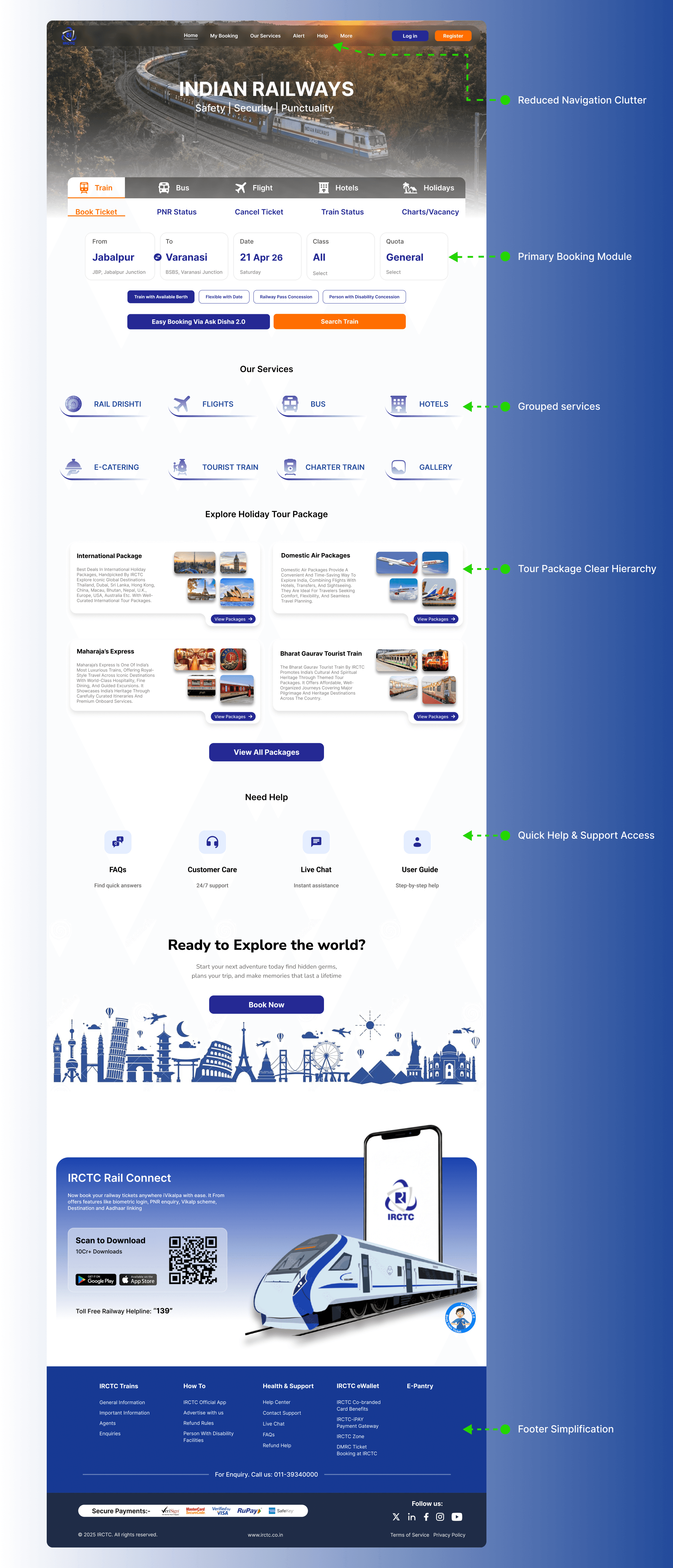
Redesigned Homepage
Booking prioritized above the fold, reduced navigation clutter, and secondary services grouped for easy access.
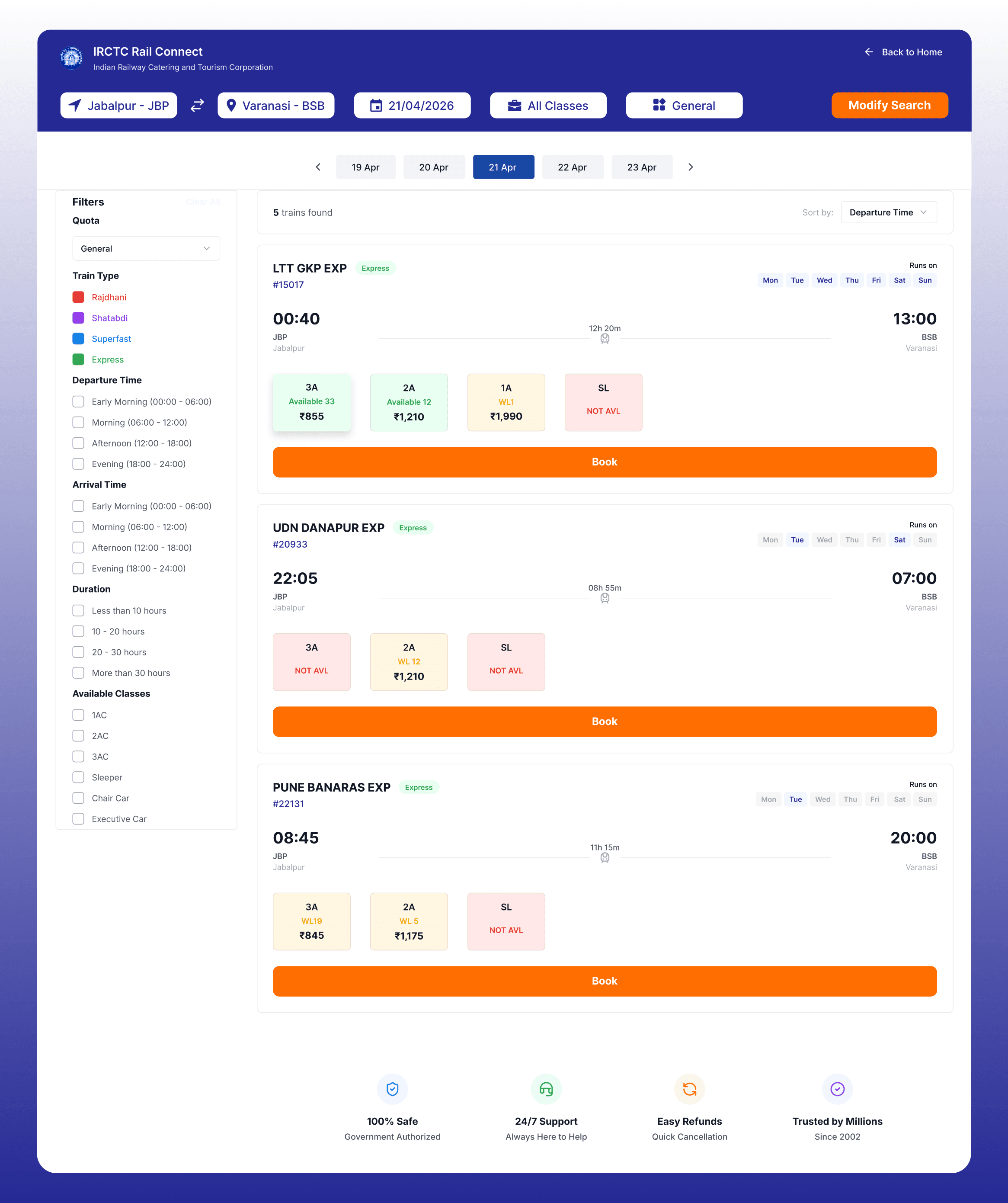
Train Search Results
Clear comparison of available trains with improved card layout and key details visible immediately for faster decision-making.
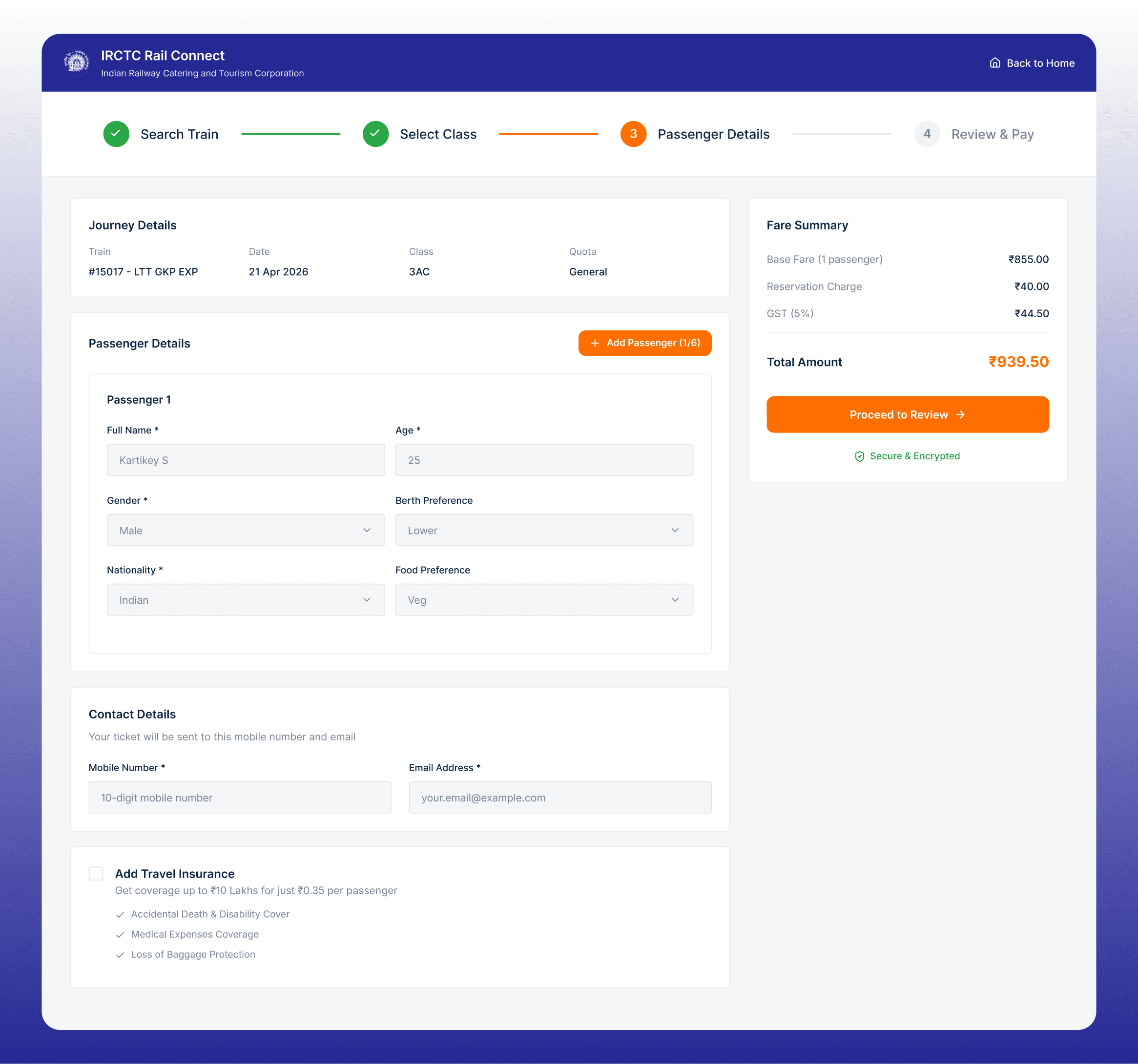
Passenger Details Form
Inline validation and structured input fields reduce errors and simplify passenger detail entry.
Design Rationale
Why Booking is Placed Above the Fold: Most users visit IRCTC primarily to book tickets. Prioritizing the booking section reduces scanning time and helps users complete tasks faster, especially during high-pressure scenarios like Tatkal bookings.
Service Organization: Grouping secondary services ensures they remain accessible without competing with the primary booking action, reducing cognitive load and improving conversion rates.
Inline Validation: Real-time validation provides immediate feedback and improves form completion clarity, reducing user errors and improving overall experience quality.
Chapter Nine
Conclusion
Executive Summary & Impact
This redesign shifts IRCTC from a feature-heavy experience to a task-first structure. The redesign improves booking speed by prioritizing key actions and simplifying navigation into a cleaner, more structured interface.
Projected Usability Improvements
Based on UX heuristics and interaction analysis, the redesign is expected to improve the booking experience:
| Metric | Before | After |
|---|---|---|
| Time to Locate Booking | ~8–10 seconds | ~2–3 seconds |
| Navigation Choices | 25+ links | 8 grouped sections |
| Primary Booking Visibility | Low | High |
| Booking Flow Clarity | Fragmented | Linear flow |
These improvements reduce cognitive load and allow users to reach the ticket search stage significantly faster.
Key Insights
Prioritization Impact Prioritization creates more impact than adding features. Removing secondary services initially improves primary task efficiency. | |
Architecture Matters Information architecture drives usability. Clear hierarchy and logical grouping reduce cognitive load significantly. | |
Government Context Government platforms require clarity over decoration. Users prioritize functionality and trust over visual aesthetics. |
Challenges Addressed
- Designing for mixed digital literacy
- Maintaining government trust
- Not removing essential services
Future Improvements
- Mobile-first optimization for users on mobile
- Accessibility enhancements for digital literacy
- Advanced booking error prevention systems
- Streamlined payment flow experience
Design Process & AI Assistance
AI tools were used to assist with brainstorming, content structuring, and refining case study documentation. All design decisions, layout exploration, and UI work were created and validated manually. This case study demonstrates iterative research-driven design methodology applied to a high-traffic government platform.
Interested in working together?
Let's start a project