Case Study
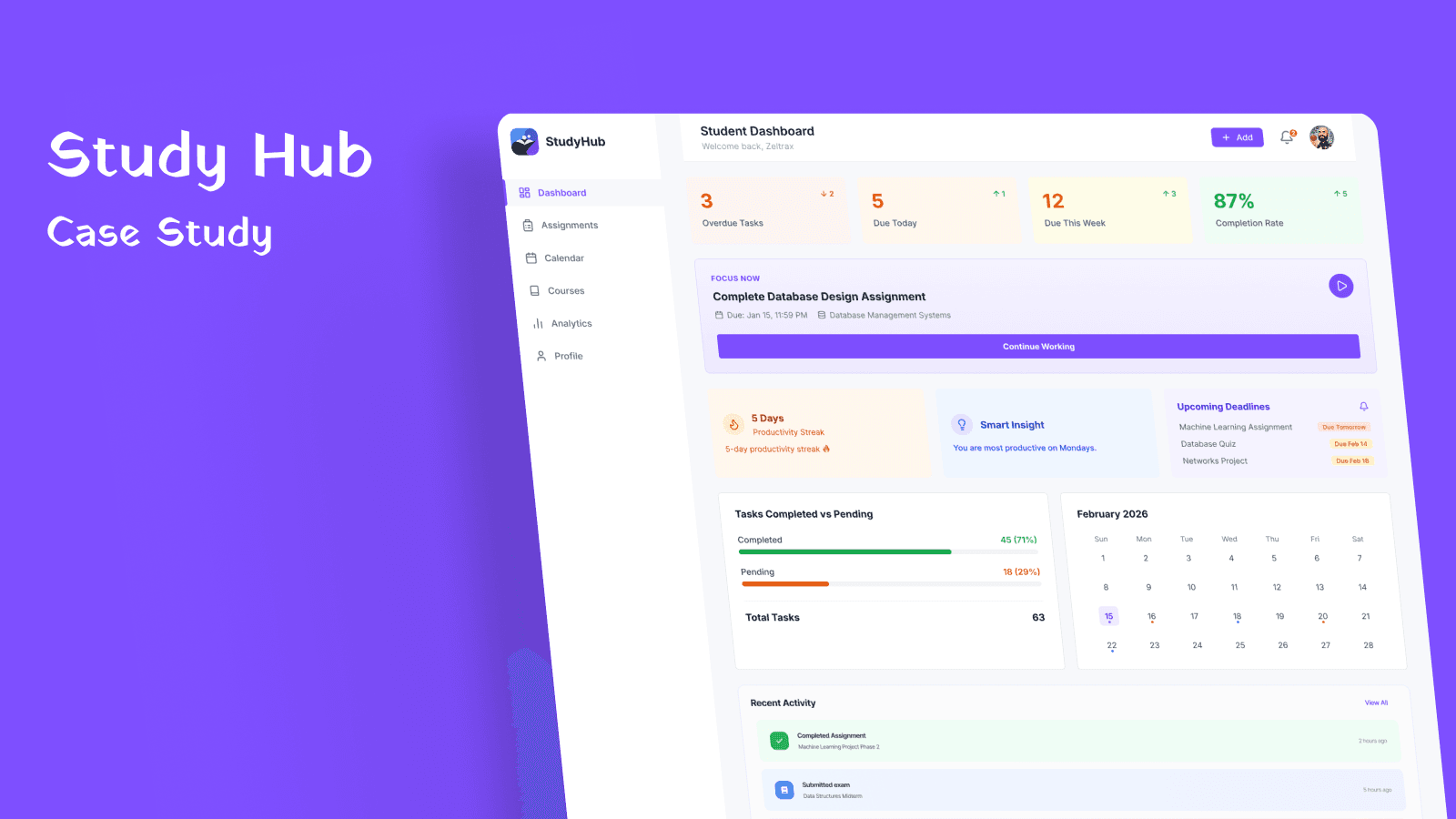
Student Study Hub Dashboard
Designing a centralized dashboard to simplify student academic task management and improve deadline visibility.
Platform
Web Application
Role
Product Designer
Timeline
Feb 22 – Mar 1, 2026 (1 Week Sprint)
Project Type
Dashboard Design
Tools Used
Figma, Notion, Miro, FigJam
Team
Solo
Chapter One
Introduction & Context
Project Overview
Student Study Hub is a web dashboard designed to centralize academic tasks and simplify how students track assignments, courses, and deadlines. Students often rely on multiple platforms to track assignments, courses, and deadlines, leading to fragmentation and missed deadlines. This project explores how a centralized dashboard can significantly improve academic management and reduce cognitive load.
Current Student Challenges
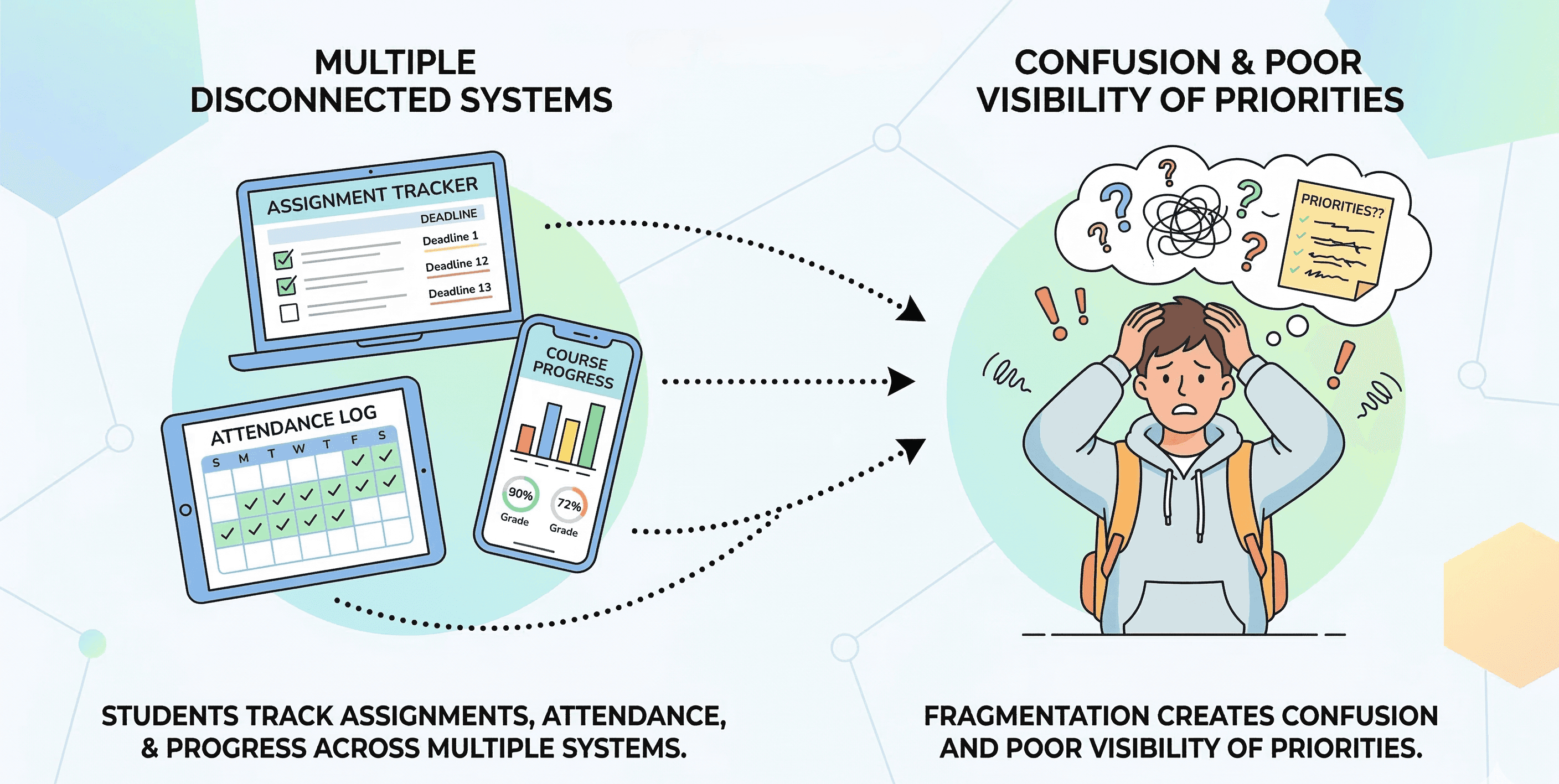
Students typically manage academic information across disconnected systems:
- Task confusion from scattered information
- Frequently missed deadlines due to poor visibility
- Reduced ability to track progress across courses
- Overloaded dashboards with unclear priorities
Problem
Students manage assignments, attendance, and grades across multiple disconnected systems, leading to missed deadlines and poor visibility of academic progress.
Goal
Design a centralized dashboard that organizes academic information clearly and helps students quickly understand their priorities and upcoming deadlines.
Outcome
A centralized, structured academic dashboard providing real-time overview, clear task prioritization, and simplified navigation for better academic management.
Chapter Two
Problem Analysis & Solution
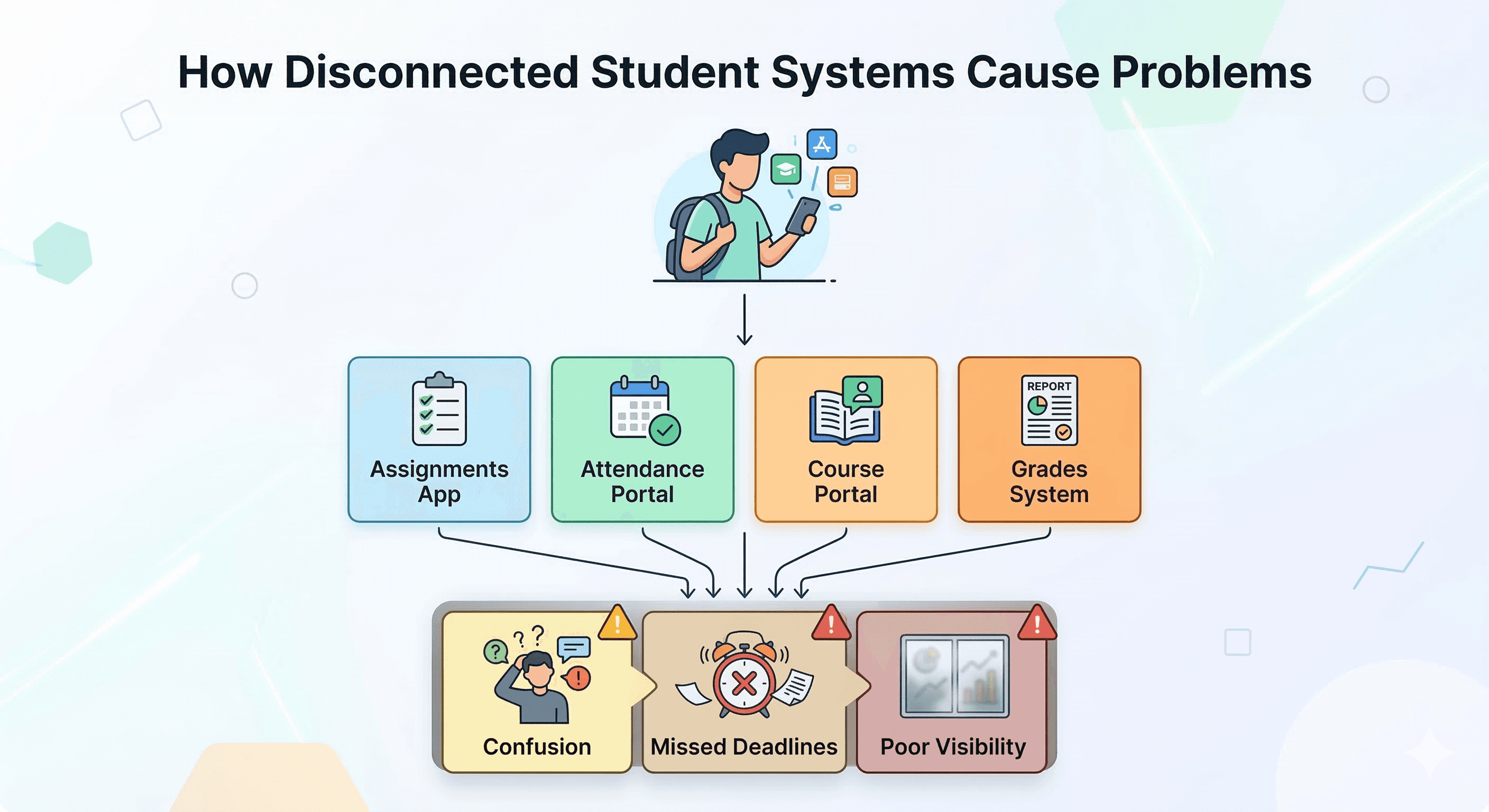
Core Problems
- Fragmented academic information across systems increases task confusion
- Important deadlines are missed due to poor visibility
- Overloaded dashboards overwhelm students with irrelevant information
- Task prioritization is unclear, reducing productivity
Design Strategy
- Centralize academic information in a single, unified interface
- Prioritize high-frequency academic tasks and urgent deadlines
- Apply clear visual hierarchy to guide task discovery
- Balance information density with clarity for improved usability
Chapter Three
Research & Key Insights
Research Methodology
To understand existing solutions, I analyzed several academic and productivity dashboards. The research focused on layout structure, task prioritization, information density, and navigation patterns to identify common gaps and opportunities.
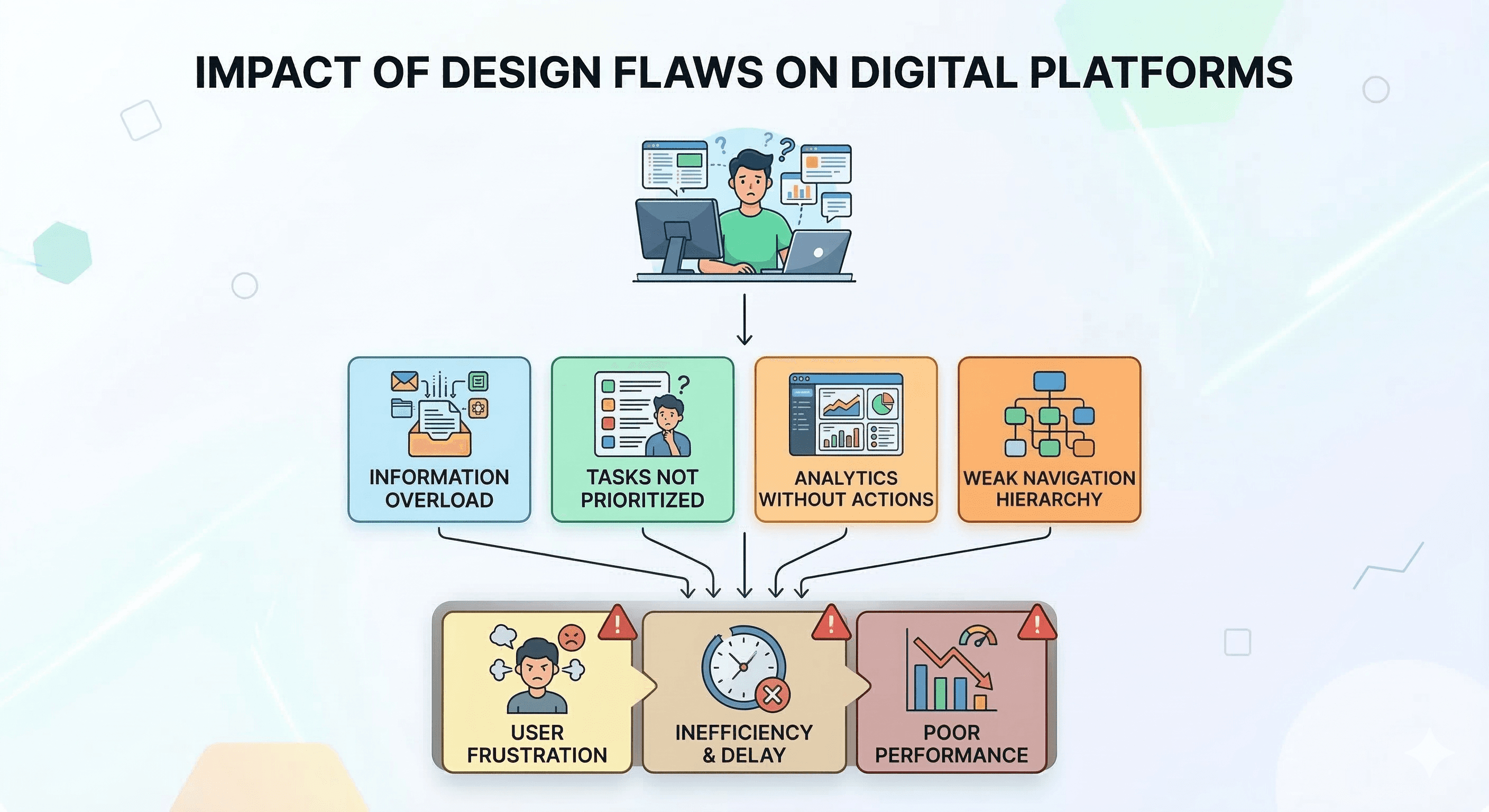
Key Research Findings
Information Overload: Most dashboards show too much information at once, making it difficult for students to identify priority tasks.
Poor Visual Hierarchy: Important tasks are often not visually prioritized, reducing task discoverability and causing missed deadlines.
Unclear Navigation: Dashboard navigation patterns often ignore high-frequency academic tasks, forcing students to hunt for relevant information.
Chapter Four
Information Architecture & Structure
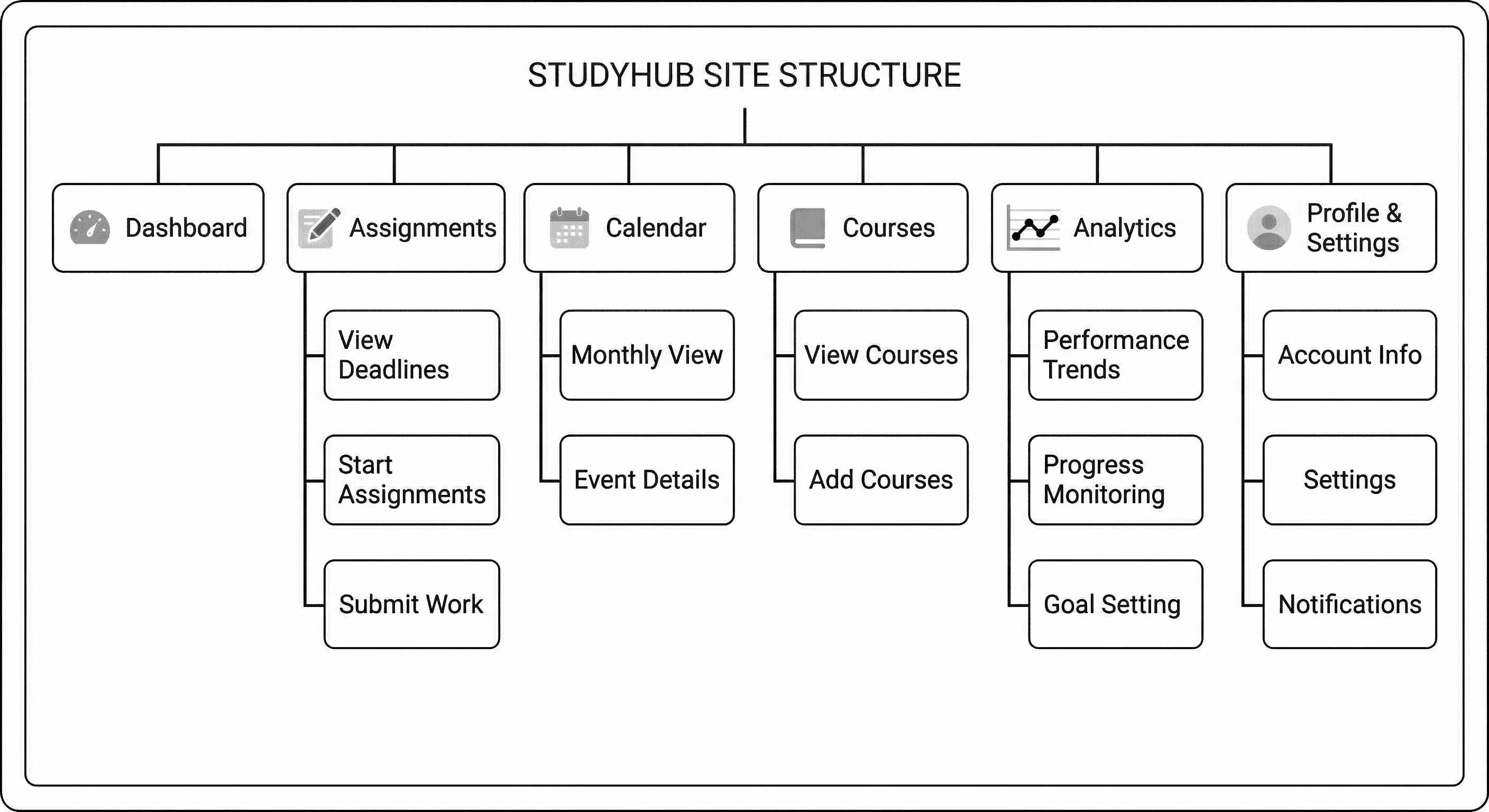
Dashboard Structure
The dashboard structure was organized based on task frequency and importance. Assignments were prioritized as the most frequent student task, with other sections supporting academic success.
Chapter Five
Wireframes & Design Exploration
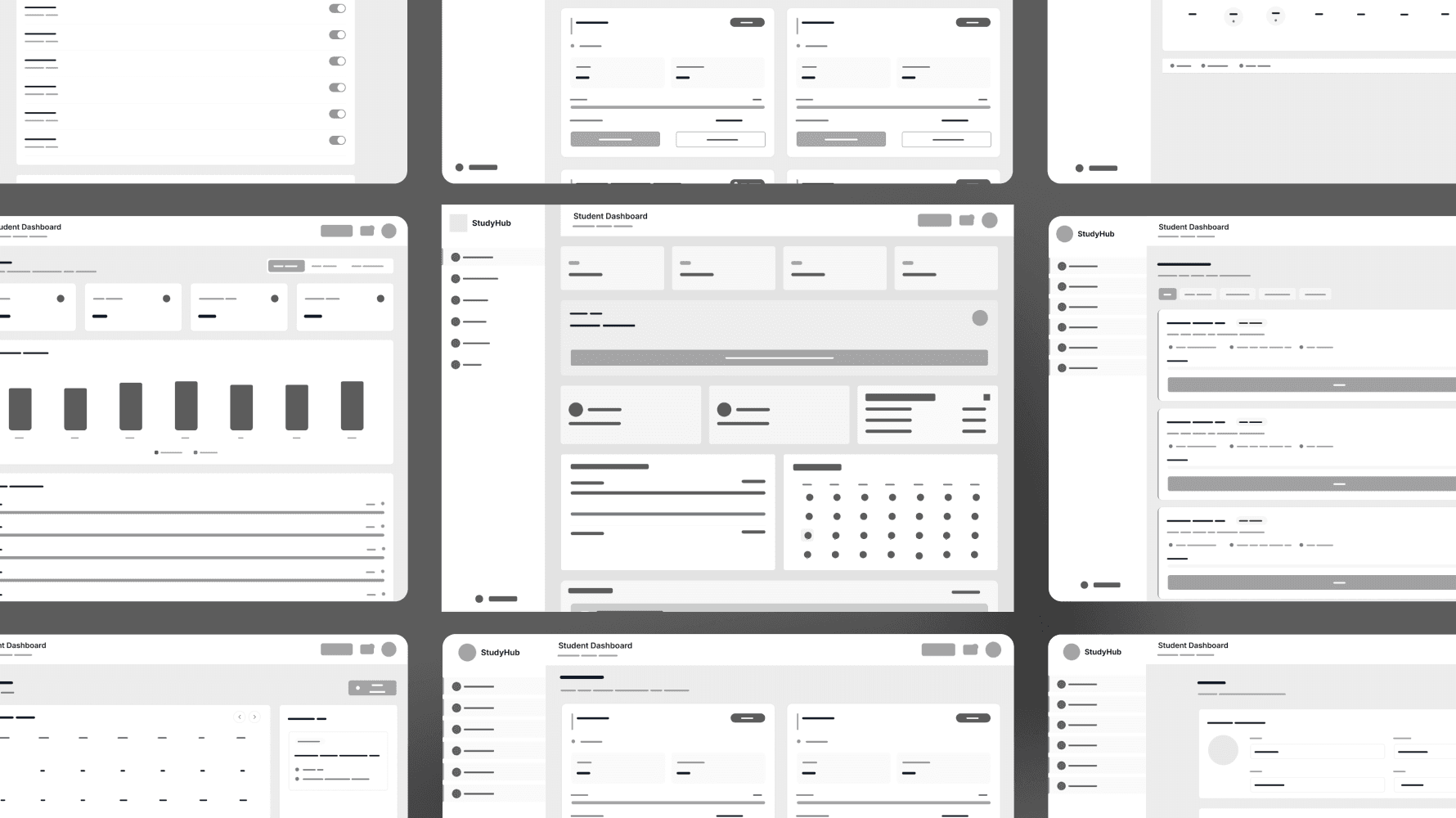
Wireframing Approach
Mid-fidelity wireframes were used to define content grouping, navigation placement, and information hierarchy before introducing visual styling. This approach allowed for rapid iteration on layout structure and content organization.
Focus Areas:
Chapter Six
Design System & Visual Foundation
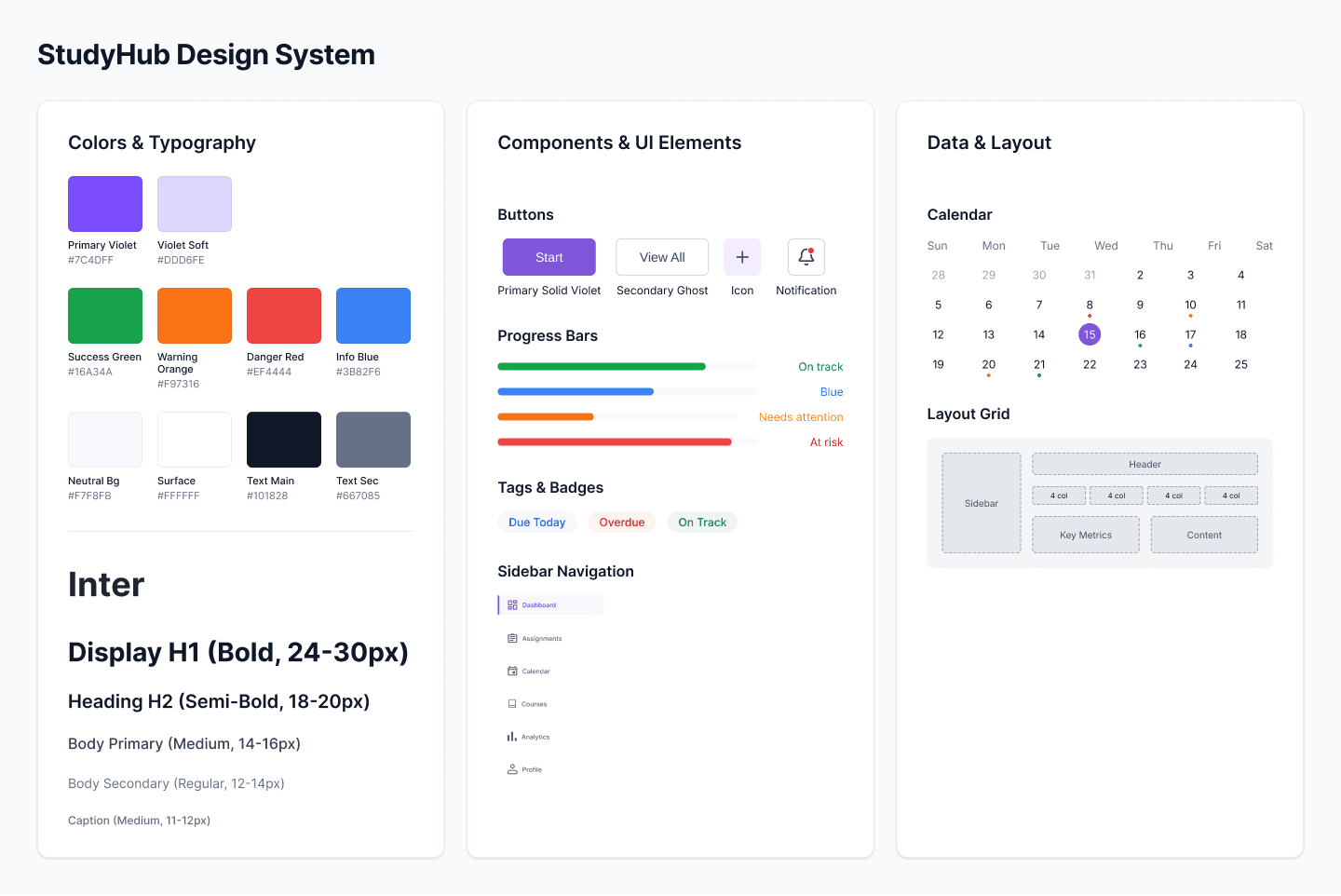
Design Principles
Purple Accent Color: Used for primary actions and interactive elements to create visual consistency and encourage user engagement.
Neutral Gray Foundation: Provides interface balance and reduces cognitive overload without distracting from content.
Card-Based Components: Organizes information into scannable, digestible sections for improved information hierarchy.
8-Point Grid System: Ensures consistent spacing, alignment, and proportional relationships across all dashboard screens.
Chapter Seven
Final UI Screens & Implementation
Dashboard Sections
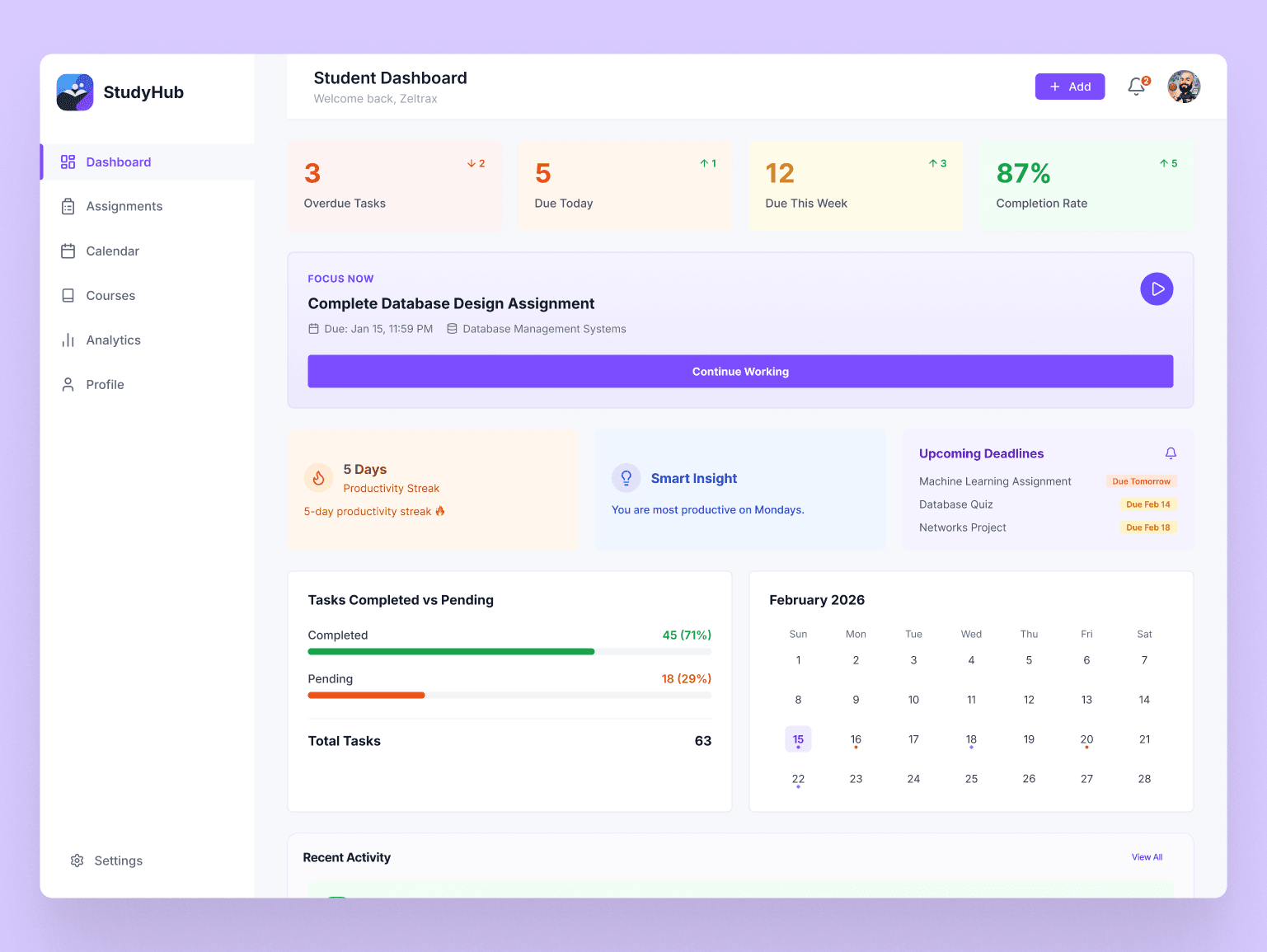
The final dashboard uses a card-based layout to organize academic information clearly and support quick scanning. All sections maintain consistent visual hierarchy and spacing for improved usability.
Dashboard Overview
Central hub showing academic overview with key metrics, upcoming deadlines, and course progress at a glance.
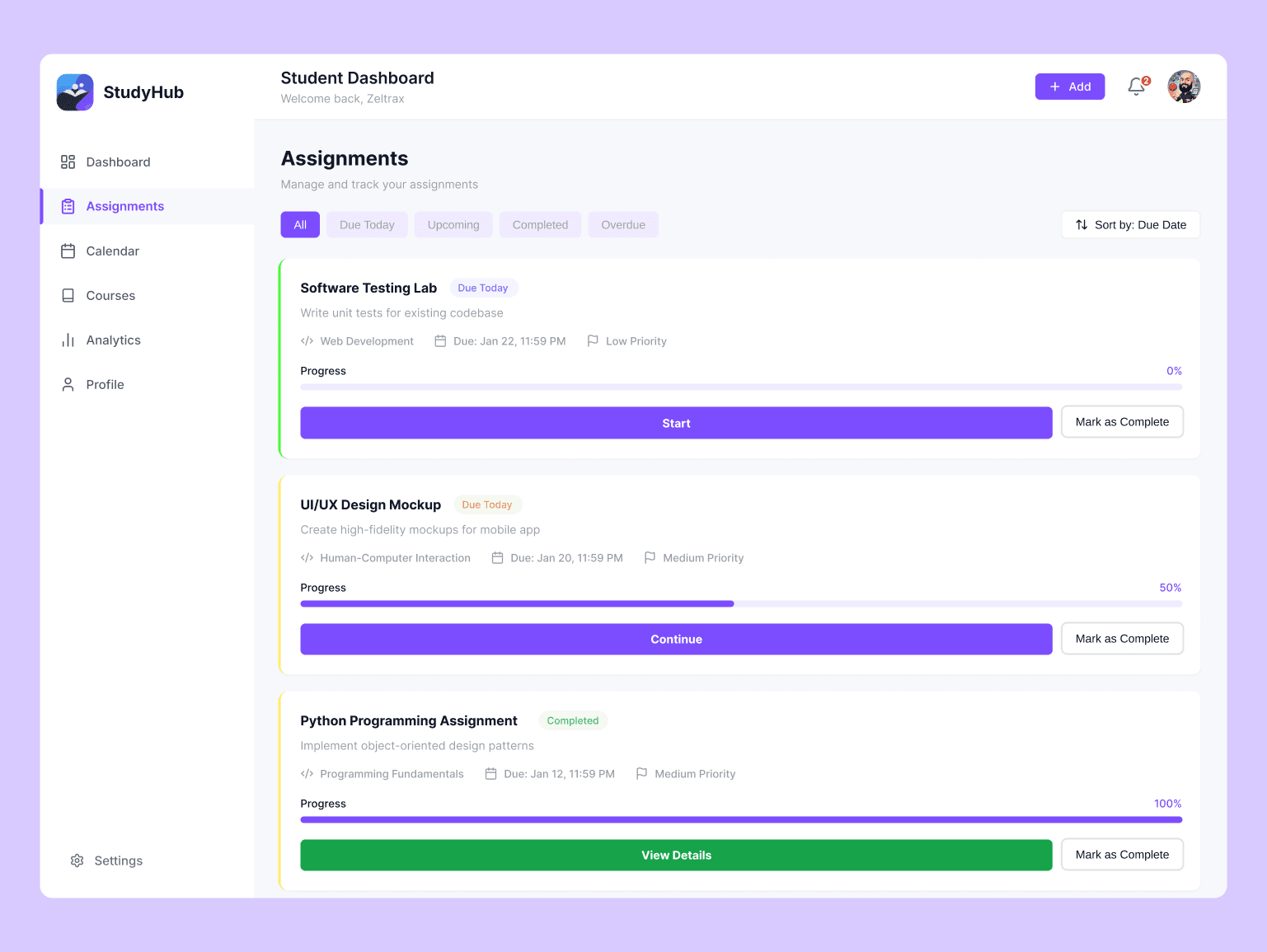
Assignments View
Prioritized list of upcoming assignments with clear deadlines, status indicators, and quick action buttons for improved task management.
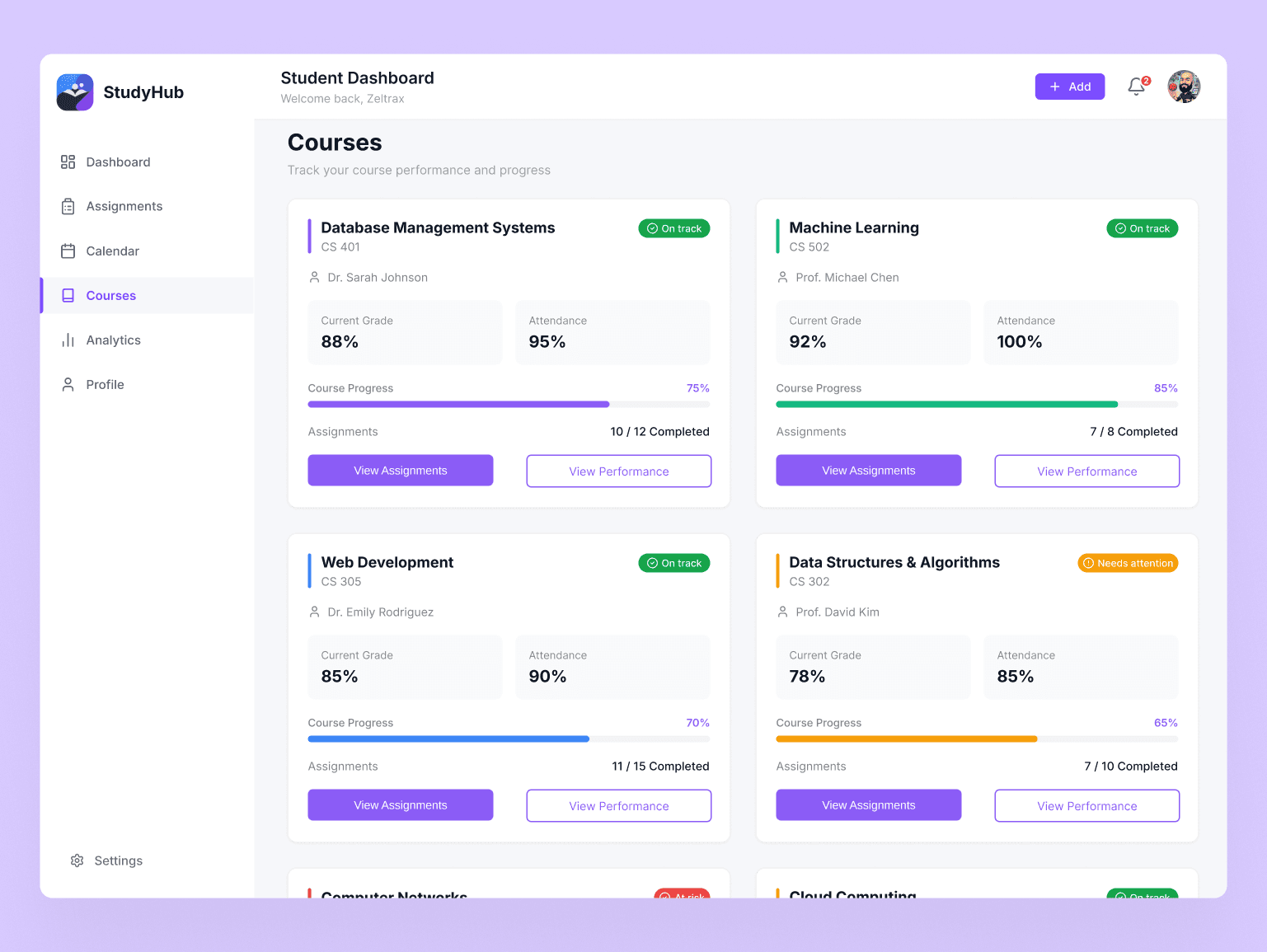
Courses Management
Overview of all enrolled courses with performance metrics, materials access, and course-specific announcements for streamlined learning management.
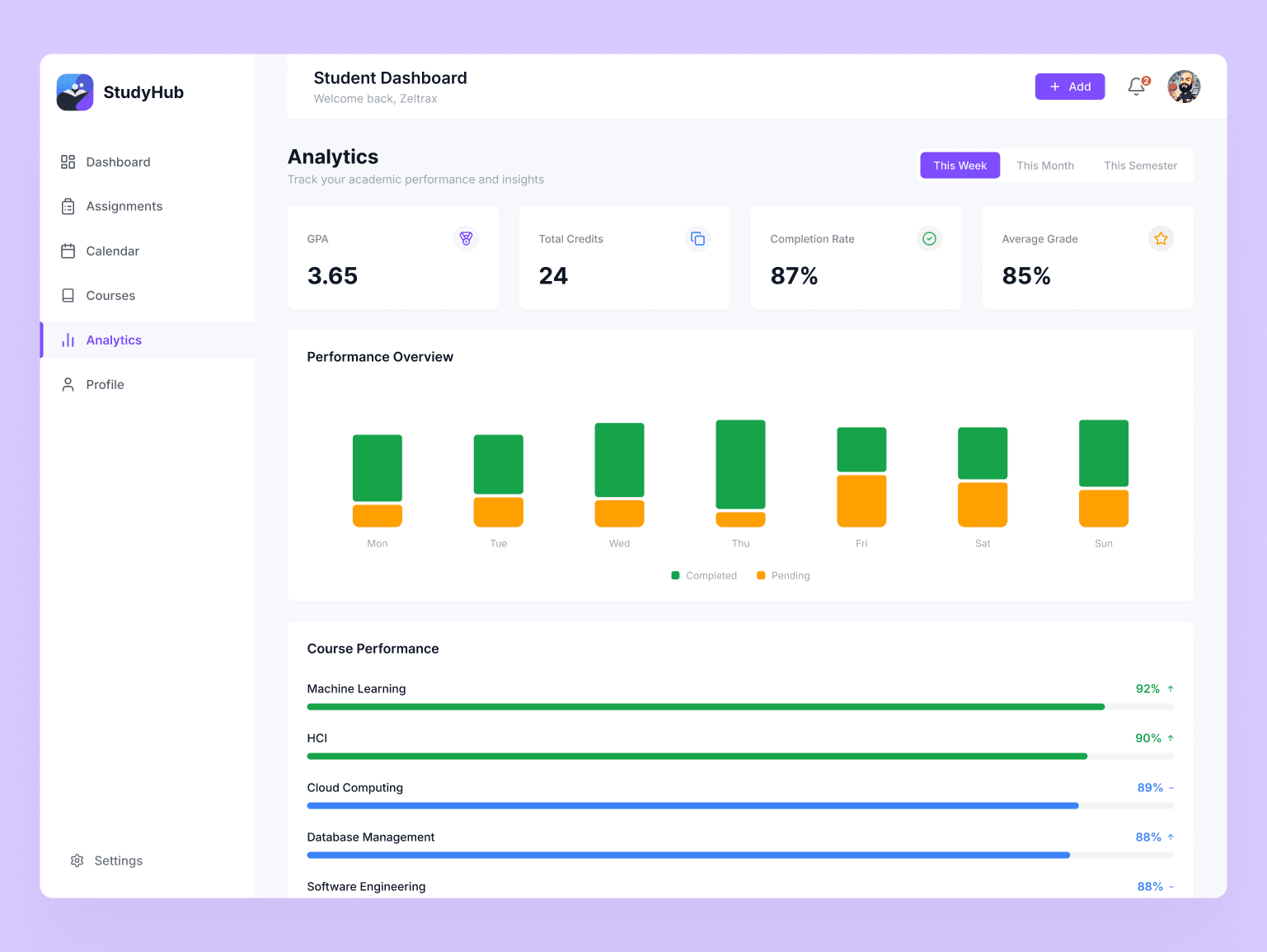
Analytics & Insights
Visual representation of academic progress with trends, performance analytics, and actionable insights for data-driven learning decisions.
Chapter Eight
Testing & Interactive Prototype
Heuristic Evaluation
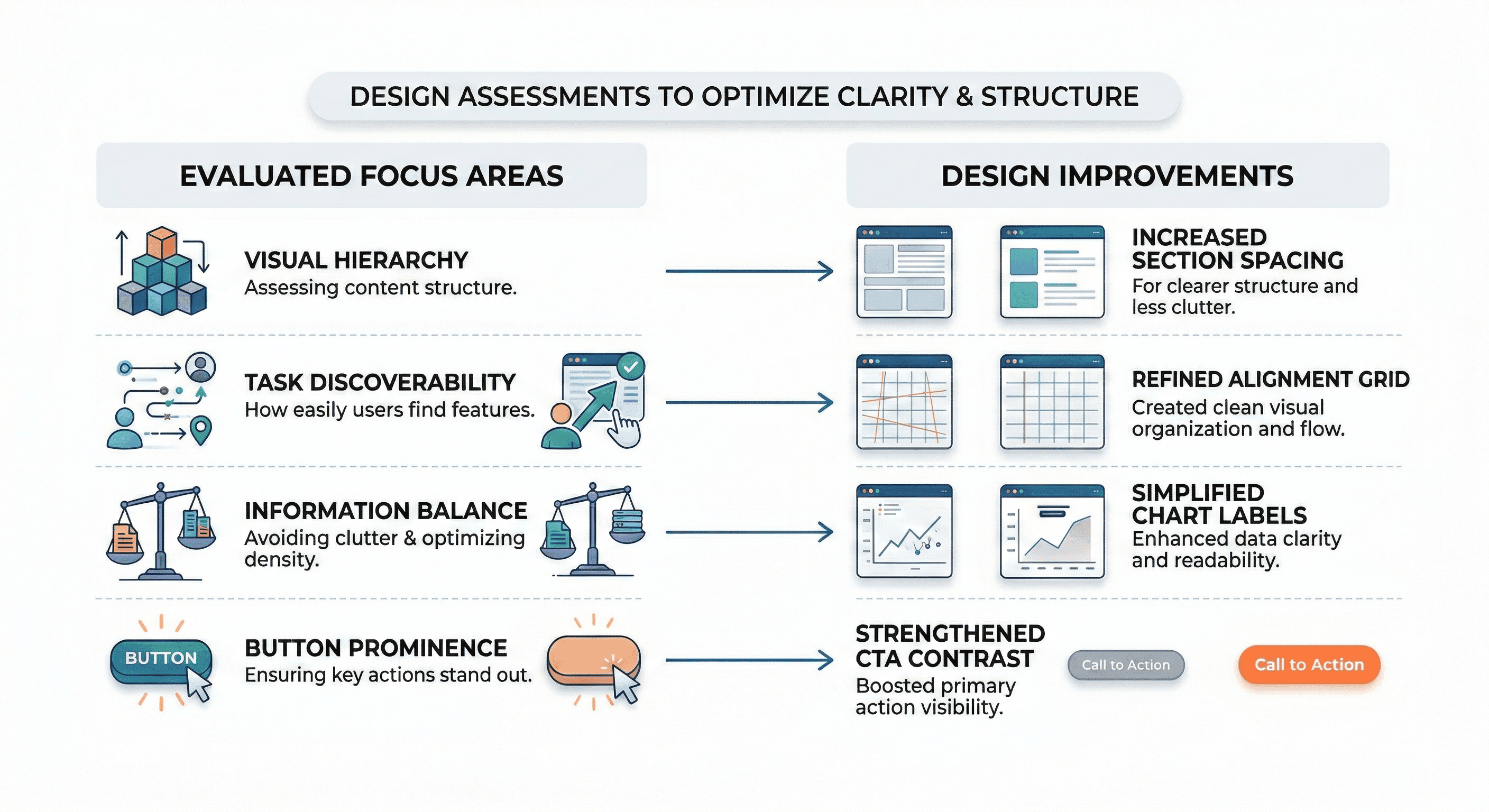
A comprehensive heuristic evaluation was conducted to assess dashboard clarity, task discoverability, and information balance against established usability principles.
Focus Areas:
Improvements Implemented
Based on evaluation findings, key refinements improved the overall usability and clarity of the dashboard interface.
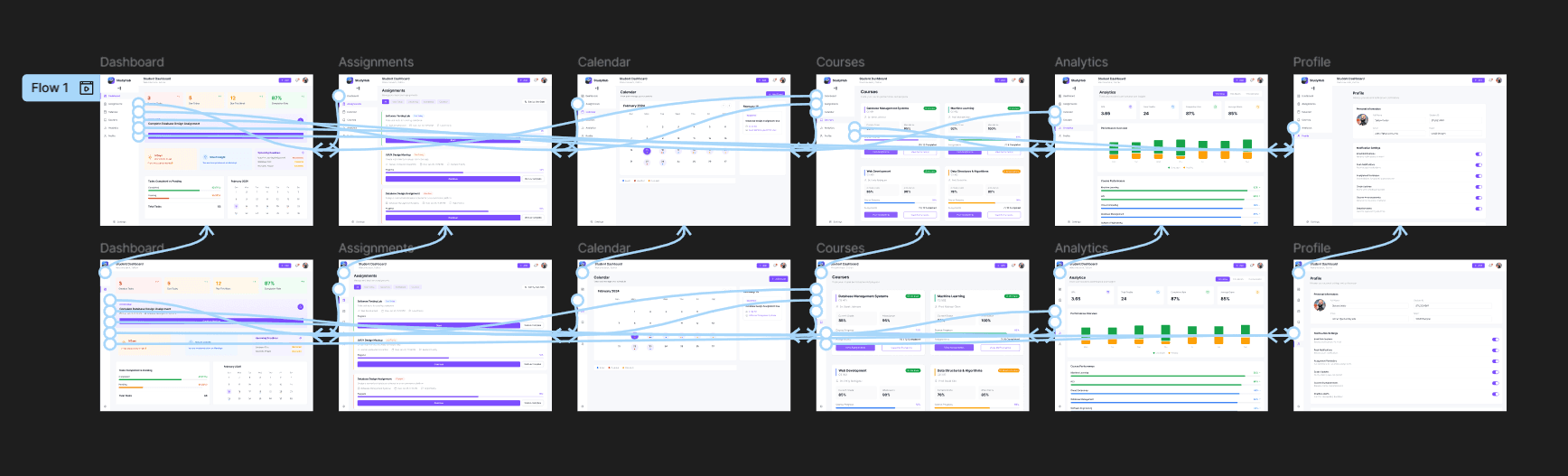
Interactive Prototype
View PrototypeA high-fidelity clickable prototype was created in Figma to demonstrate dashboard navigation, interactions, and transitions between views.
Chapter Nine
Conclusion & Impact
Key Learnings
- Visual hierarchy is essential for data-heavy dashboards
- Information overload significantly reduces usability
- Spacing improves scannability and clarity
- Prioritization guides user attention effectively
Future Enhancements
- Mobile-responsive design for on-the-go access
- Real-time notifications for deadline alerts
- AI-powered task recommendations
- Integration with learning management systems
Project Outcome & Impact
This project successfully demonstrates how applying clear visual hierarchy, strategic information organization, and thoughtful prioritization significantly improves dashboard usability for academic task management.
By centralizing scattered academic information into a single, well-organized interface, the Student Study Hub dashboard helps students better understand their priorities, reduce cognitive load, and ultimately improve academic success through better task management and deadline awareness.
Interested in working together?
Let's start a project